How to Organize Instagram Saved Posts Across Accounts
A practical workflow to organize Instagram saved posts across accounts, find valuable content again, and turn selected saves into useful actions.
How to Organize Instagram Saved Posts Across Multiple Accounts
The simplest way to organize Instagram saved posts across accounts is to use Instagram Collections for quick, temporary sorting and move only high-value posts into one external library. Keep a few action-oriented Collections in each account, then share the recipes, places, projects, and references you intend to use into RTRIV.
Why more Collections do not solve the problem
A folder for every interest feels organized at first: recipes, travel, workouts, design, books, client ideas. It becomes harder to maintain when one post belongs in several places or when personal and professional accounts develop different naming systems.
Instagram Collections are designed as an internal organization layer. Meta has also introduced collaborative Collections, allowing people to save posts together in a group or one-to-one conversation. That helps with shared discovery, but it is not the same as one searchable library spanning your own accounts and other sources.
The useful question is not “Which perfect folder should hold this?” It is “Am I keeping this for later, or do I expect to do something with it?” That distinction reduces the amount of organization required while you scroll.
Use a two-layer system
Layer 1: keep Instagram Collections small
Use native Collections for saves that still belong to the browsing context. Action-oriented names create a natural review point:
- This week for ideas you intend to try soon;
- Share with the team for professional references;
- Active project for material supporting current work.
Avoid duplicating an elaborate taxonomy across every account. A personal account and a work account can use different short lists because they serve different purposes. When a project ends, stop feeding its Collection rather than turning it into permanent storage.
Layer 2: route important posts into one library
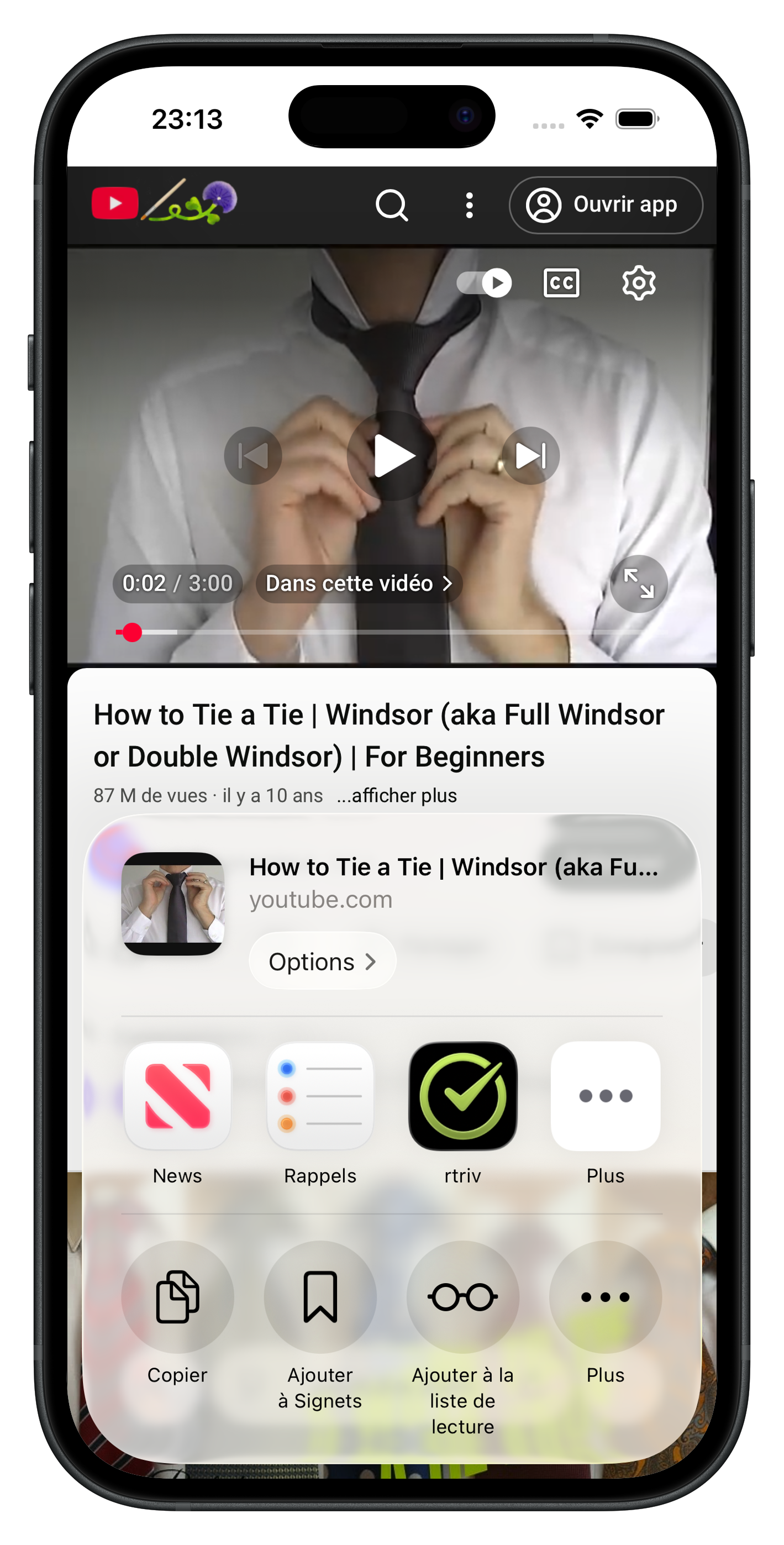
A recipe you plan to cook or a place you want to visit needs more context than a thumbnail. For those saves, use the post’s share command and send it to a dedicated library.
Apple documents the iOS share sheet as the system interface through which compatible extensions receive links, images, videos, and other supported items. RTRIV uses that mechanism. You choose what to send; RTRIV does not need your Instagram credentials and does not automatically import your saved-post history.
A practical workflow for two Instagram accounts
Imagine that you use one account personally and another for work.
- Save lightweight inspiration to a short-lived Collection in the relevant Instagram account.
- When a post deserves a future action, open Share and choose RTRIV.
- Add the supported content to the appropriate RTRIV Collection or find it later through the library search.
- Review the action-oriented material instead of repeatedly reorganizing the full Instagram backlog.
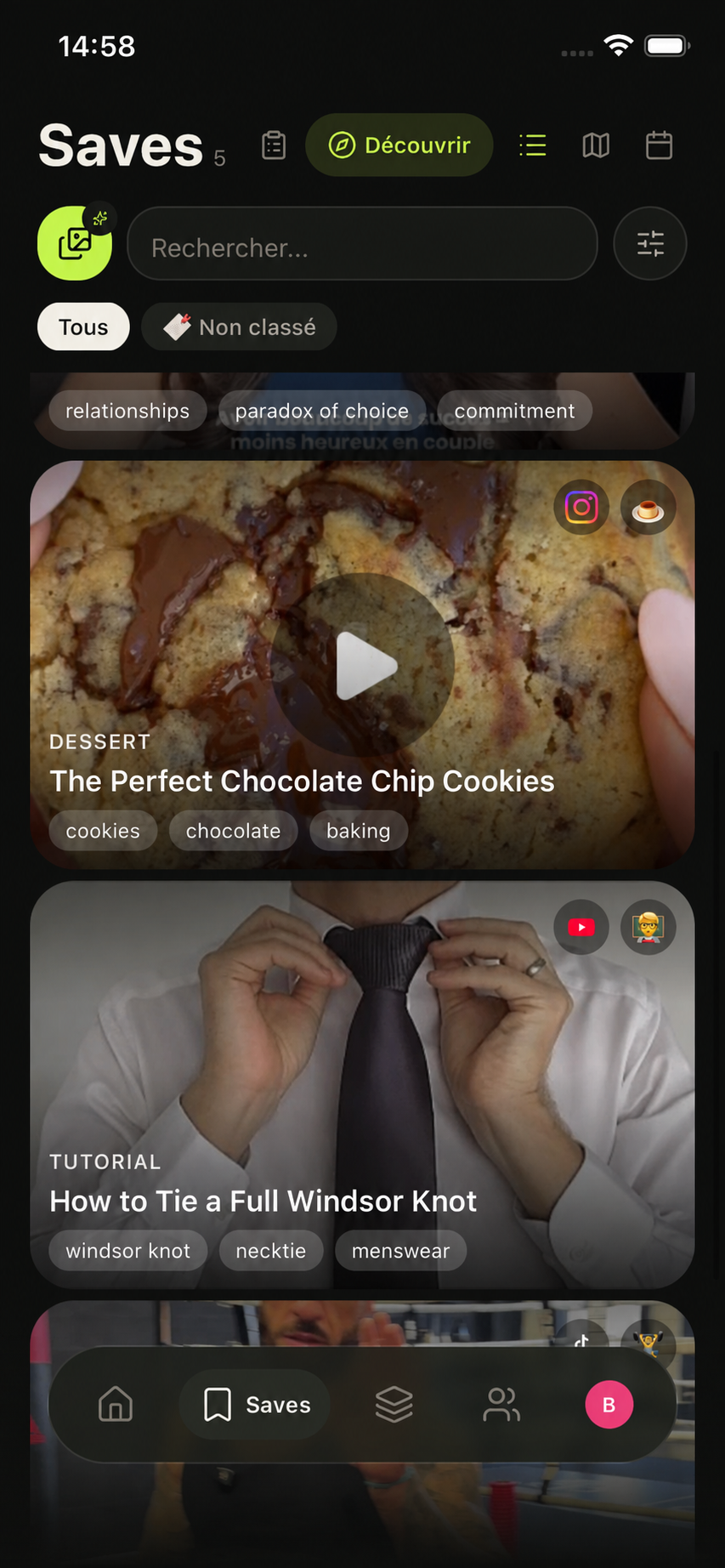
The two Instagram accounts remain separate inside Instagram, while the selected posts can live in the same RTRIV library. Depending on the source, RTRIV can prepare structured information such as a title, summary, transcript, ingredients, or steps. AI-generated information is identified in the app.
This makes the save more useful without pretending that every bookmark deserves permanent storage. A cooking video can become a recipe to follow. A venue recommendation can join a places Collection. A tutorial can become a project you can resume.
RTRIV is additive rather than a replacement for Instagram’s save button. Native saving remains the fastest option for casual discovery. RTRIV is for the smaller subset of content you want to retrieve across sources or turn into something concrete.
Common organization mistakes
Creating a Collection for every new interest. The folder list eventually becomes another backlog. Prefer a few temporary destinations tied to a real intention.
Exporting every saved post. Moving an unfiltered pile into another app does not make it useful. Select the posts that have future value.
Treating a bookmark as a completed task. Saving a workout does not schedule it. Attach the content to a project, occasion, or next action.
Assuming product interfaces never change. Instagram regularly tests and updates features. Use the current interface on your account as the final reference instead of relying on an old tutorial.
For a broader look at tools that consolidate saved material, read our guide to bookmark manager apps for iPhone.
Key takeaways
- Use Instagram Collections as lightweight inboxes, not a permanent knowledge system.
- Organize around an action or project instead of creating a folder for every topic.
- Send only valuable posts from each account into RTRIV through the iOS share sheet.
- RTRIV does not automatically import your Instagram history.
- Keep factual instructions grounded in the current Instagram interface because features can change.
Sources
Frequently Asked Questions
About
Équipe RTRIV
We design RTRIV to turn saved content into decisions, projects and moments that are actually lived.