How to Save Instagram Posts to Camera Roll (2026)
Learn how to save Instagram posts to your camera roll in seconds. Plus, a smarter way to save IG content without mindless scrolling taking over.

How to Save Instagram Posts to Your Camera Roll (The Right Way)
This guide covers every method to save Instagram posts to your camera roll — including why Instagram makes it harder than it should be, and a smarter alternative that protects both your time and your data.
On This Page
- Why saving instagram photos is more complicated than it looks
- How to save your own instagram posts to camera roll
- How to save someone else's instagram photo to your gallery
- The hidden cost of saving instagram content the wrong way
- How rtriv changes the way you save ig posts
- Frequently Asked Questions
Why Saving Instagram Photos Is More Complicated Than It Looks
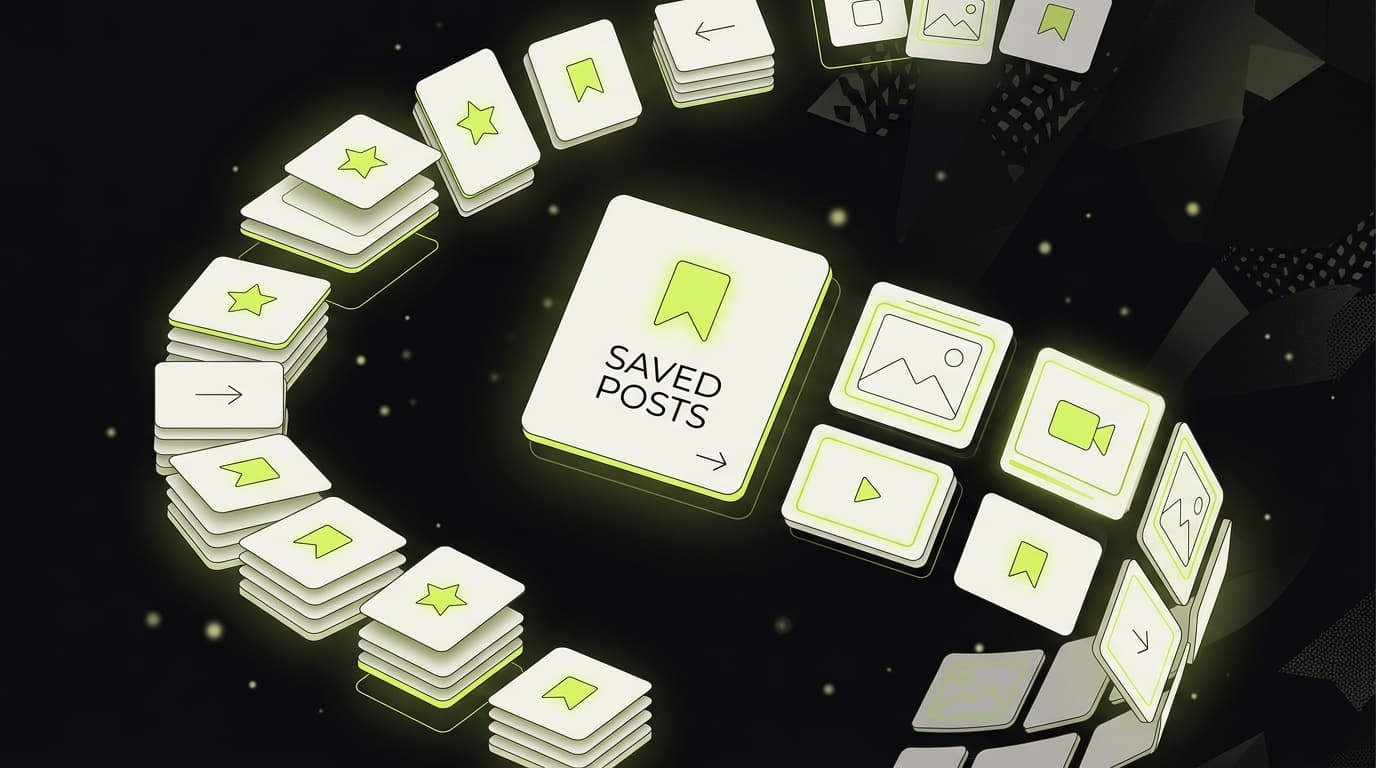
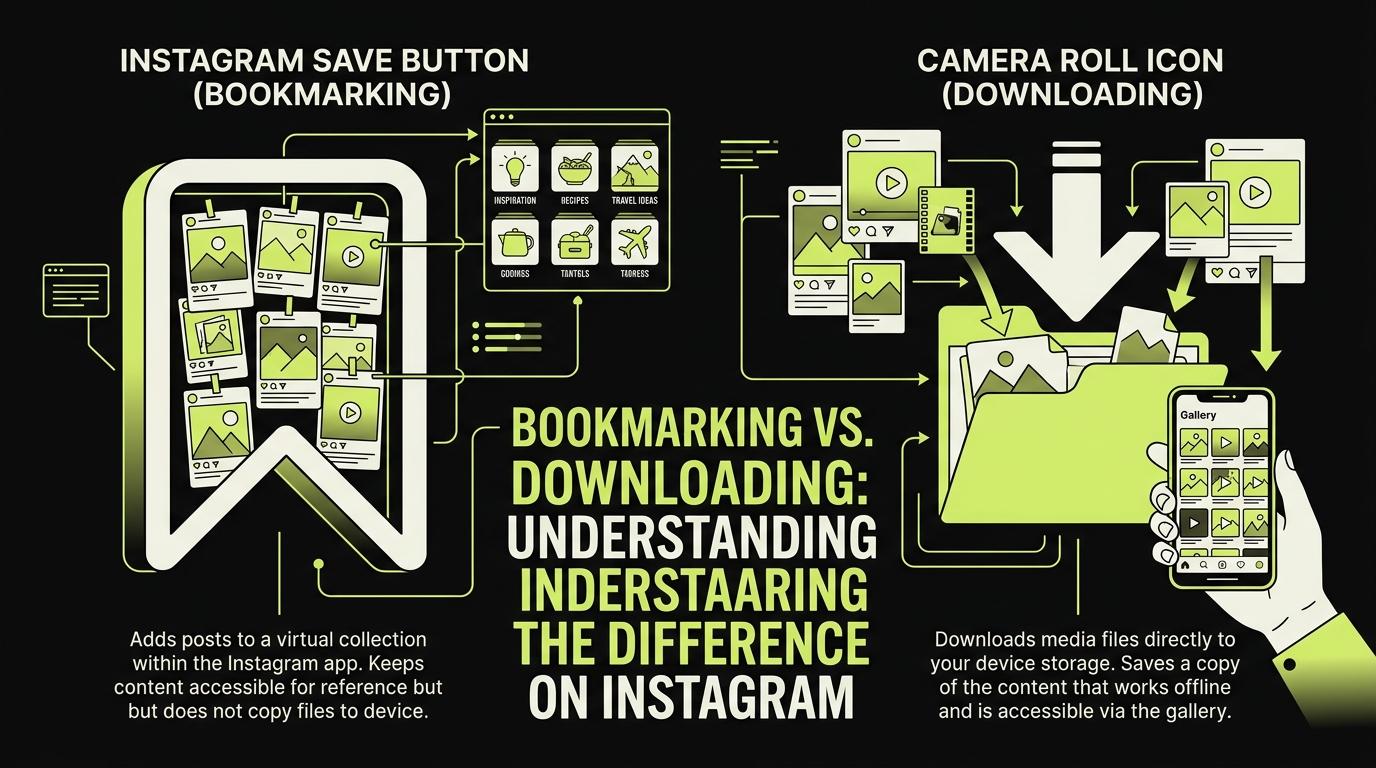
If you've ever tried to save Instagram posts to your camera roll, you already know the frustration. You tap the bookmark icon, assume the photo is saved to your iPhone's Photos app, then go looking for it — and it's nowhere to be found. That's because Instagram's native save function doesn't download Instagram photos to your gallery at all. It stores them inside Instagram's own saved collection, which you can only access while the app is open and you're logged in.
This design is intentional. Instagram, like most social platforms, has a business interest in keeping you inside the app as long as possible. The longer content lives only within Instagram, the more reasons you have to come back. Understanding this distinction — between saving IG posts within the app versus saving them locally to your device — is the first step to actually getting what you want.
There's also a copyright dimension. Instagram's terms of service prohibit downloading other users' content without permission, which is why the platform deliberately omits a native download button for third-party posts. That said, millions of users still need to save IG posts locally for legitimate reasons: mood boards, recipe collections, design inspiration, references for work.
How to Save Your Own Instagram Posts to Camera Roll
If the post belongs to your own account, Instagram actually gives you a built-in option to save it directly to your iPhone's camera roll. Here's how:
For photos and carousels you've already posted
- Open the post on your profile.
- Tap the three-dot menu (⋯) in the top right corner.
- Select Download (or Save to Camera Roll depending on your iOS version).
The photo will appear in your Photos app almost instantly. This works for both the feed and carousel posts, but note that it only applies to content you originally uploaded.
For Reels you've created
- Open the Reel from your profile.
- Tap the three-dot menu.
- Select Save to Camera Roll.
Instagram compresses Reels slightly on download, so the exported file may not match your original quality. If you need full resolution, always keep a local backup before uploading.
One important caveat: this method only works for your own content. If you want to save someone else's Instagram photo to your gallery, you'll need a different approach.
How to Save Someone Else's Instagram Photo to Your Gallery
This is where things get trickier. Instagram doesn't provide a native download option for other users' public posts. Here are the most common workarounds people use — and their trade-offs.
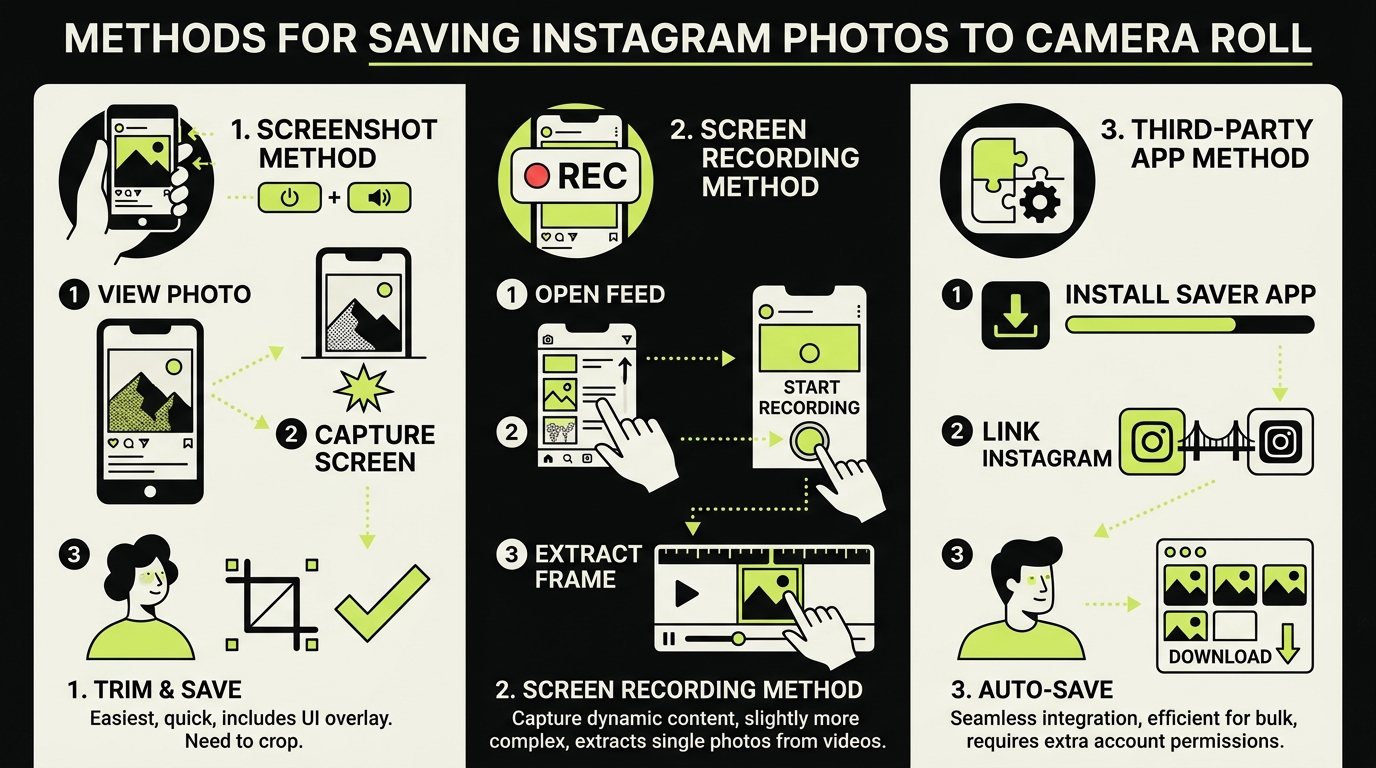
Screenshot
The simplest method. Press the side button and volume up simultaneously on your iPhone, and the image is captured. The downside is obvious: screenshot quality is limited to your screen resolution, and videos can't be captured this way. It also captures the Instagram UI unless you're precise about timing.
Third-party downloader apps and websites
Search the App Store and you'll find tools that claim to download Instagram photos. Their permissions and data handling vary. Do not give an unfamiliar downloader your Instagram password: the FTC's account-security advice explains why protecting login credentials and using multifactor authentication matters.
If you go this route, never use a tool that asks for your Instagram username and password. Look only for apps that work through iOS's native share sheet without requiring login.
Screen recording
For videos and Reels you want to save locally, screen recording (Control Center → Record) captures whatever plays on screen. Again, quality is limited, and the Instagram interface will appear in the recording unless you crop it afterward.
The Hidden Cost of Saving Instagram Content the Wrong Way
There's a pattern worth naming here. Every time you open Instagram to find that post you wanted to save — the recipe, the outfit, the travel photo — you don't just find the post. You scroll. You linger. You spend another 20 minutes in a feed you didn't plan to open.
Opening a feed to retrieve one post can expose you to more recommendations before you find it. That does not mean every visit turns into a long session, but it is worth choosing a retrieval method that matches what you need to do.
The act of saving content is itself a trigger. You open the app with a specific intent, and the feed pulls you in before you've done what you came to do. According to data from DataReportal's 2024 Global Digital Report, the average user spends over 30 hours per month on Instagram alone — much of it unplanned.
This is the part most articles about saving Instagram posts completely ignore: the method you use to save content directly affects how much time you lose to unintentional scrolling. The friction of opening the app, finding the post, and navigating back out is never neutral. It costs attention, and attention compounds.
You can also explore our deeper look at guide to finding Instagram saved posts if you want to better organize what you've already bookmarked inside the app.
How Rtriv Changes the Way You Save IG Posts
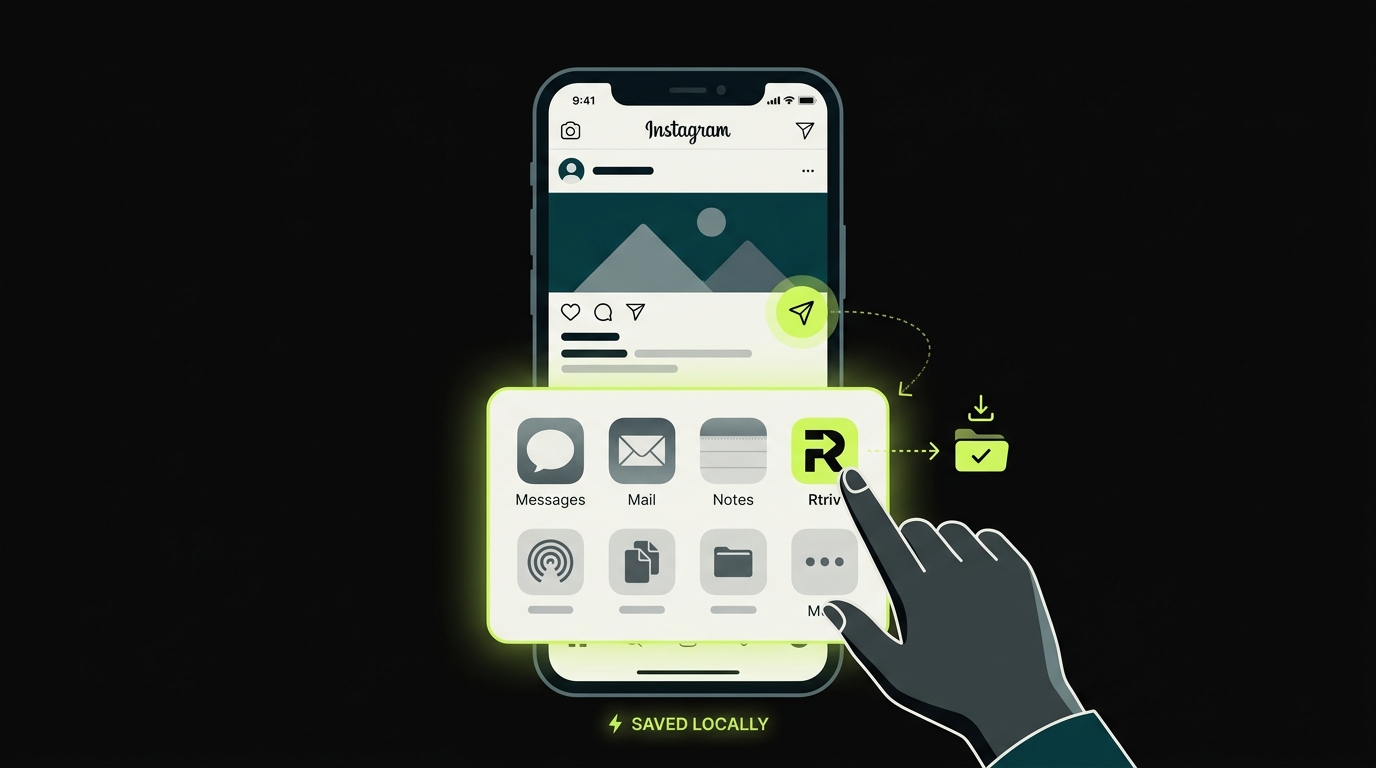
Rtriv is an iOS app built specifically around this problem. It lets you save Instagram posts — photos, videos, Reels, carousels — directly to your camera roll or a personal library, without ever opening the Instagram app again to find them.
The workflow is simple: when you're on Instagram and see something worth keeping, tap the share icon on the post, then select Rtriv from your iOS share sheet. Rtriv captures the content and saves it locally. No Instagram login required. No navigating back into the feed.
Intentional friction as a feature
What makes Rtriv different from a standard downloader isn't just the saving mechanism — it's the friction layer built into the experience. Before completing a save, Rtriv asks you a brief prompt: Why are you saving this? What will you do with it? It sounds minor, but this pause interrupts the autopilot mode that usually follows an Instagram session.
Research on implementation intentions — a psychological framework studied by Dr. Peter Gollwitzer — shows that naming a specific action goal before performing a behavior significantly increases follow-through and reduces impulsive decisions. Rtriv applies this directly to content saving.
A library that's actually useful
Everything you save through Rtriv is organized in a searchable, offline library. Unlike Instagram's internal save feature — which only works when you're logged in and online — Rtriv content lives on your device. You can browse it during a flight, reference it in a meeting, or scroll through your saved recipes without touching the Instagram app.
For anyone building a habit of more intentional social media use, pairing Rtriv with a practice of saving content intentionally rather than reactively is a meaningful first step. For a broader look at saving content across platforms, see our guide on how to save content from social media: the complete guide.
The goal isn't to stop saving things you love online. It's to stop the act of saving from becoming a backdoor into another 40-minute scroll session you didn't choose.
Related reading :
Key Takeaways
- Instagram's native save button does not download photos to your camera roll — it bookmarks them inside the app only.
- To save your own posts locally, use the three-dot menu on your profile and select Download.
- For other users' content, avoid tools that require your Instagram login — use share-sheet-based apps instead.
- Every time you open Instagram "just to save something," the feed is designed to pull you in further — this time cost is real and cumulative.
- Rtriv lets you save Instagram photos and videos to your device via the iOS share sheet, with no login required and a built-in friction layer to interrupt mindless saving.
Frequently Asked Questions
About
Équipe RTRIV
We design RTRIV to turn saved content into decisions, projects and moments that are actually lived.