Best Opal Alternatives in 2026 (Free & Paid)
Looking for opal alternatives? Compare the best screen blocker alternatives for iOS in 2026 — including a free option most people haven't tried yet.
The Best Opal Alternatives to Actually Break the Scroll Habit
Here's a curated, honest comparison of the top opal alternatives available on iOS in 2026 — so you can find the tool that actually fits how your brain works.
On This Page
- Why People Start Looking for an Alternative to Opal
- The 5 Best Opal Alternatives in 2026
- Free Alternative to Opal: What to Expect
- Rtriv: A Differentiated Opal App Alternative
- How to Choose the Right Screen Blocker Alternative
- Key Takeaways
- FAQ
Why People Start Looking for an Alternative to Opal
If you've been searching for opal alternatives, you're probably not frustrated with the idea of blocking apps — you're frustrated with what blocking alone actually does to your habits.
Opal is a solid app-blocking tool. It locks you out of distracting apps on a schedule, uses Screen Time API on iOS, and has a clean interface. For many users, it works great — at first.
Hard restrictions do not suit every user. Some people value a firm boundary; others repeatedly override it or move to another device. That difference is a reason to choose by behavior and context rather than assuming one blocking style is universally best.
So users start looking for opal app alternatives not because Opal is broken, but because hard blocking isn't always the right mechanic for every person or every context. Some need friction instead of walls. Some need a free option. Some need something that works with their content consumption habits rather than against them.
This guide covers all of those angles.
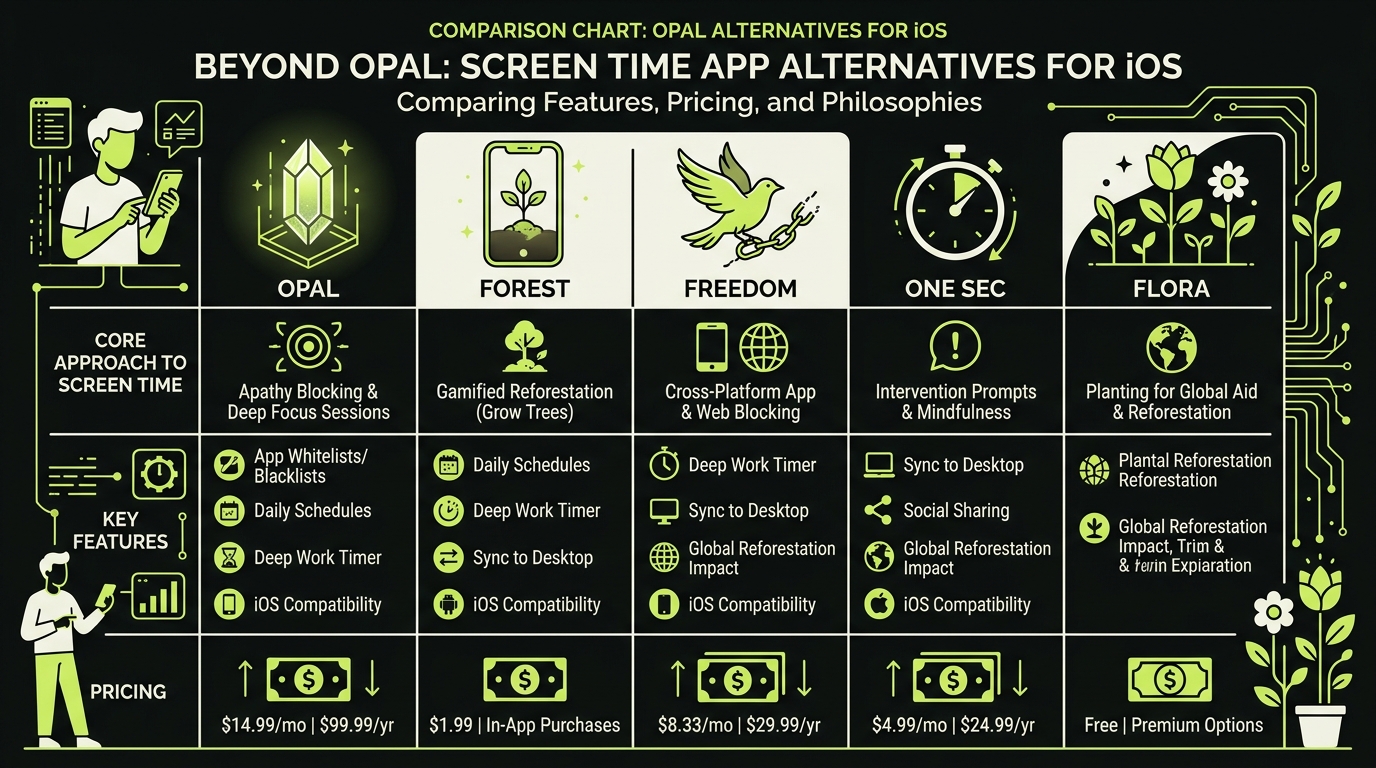
The 5 Best Opal Alternatives in 2026
Here's a breakdown of the most credible screen blocker alternatives available for iPhone right now — each with a distinct philosophy.
One Sec — Friction Without Full Blocking
One Sec doesn't block apps. Instead, it inserts a mandatory breathing pause before any app opens. You tap Instagram, and a timer forces you to breathe for several seconds before the app loads.
This is "intentional friction" at its most literal: the interruption creates a moment in which opening the app becomes a conscious choice instead of an automatic gesture.
For a full breakdown, read our One Sec app review: does it actually work?
One Sec is available on iOS with a free tier and a paid plan. It's one of the most psychologically informed alternatives to Opal available today.
Clearspace — Replace the Feed, Don't Just Block It
Clearspace takes a different approach: it intercepts your app launch and replaces the infinite feed with a limited, intentional session. You set a goal before opening TikTok or Instagram, and the app holds you to it.
The UX is thoughtful and the friction is contextual rather than blunt. For users who want to stay in control of how they use social media rather than avoid it entirely, it's a strong opal app alternative.
Explore more in our Clearspace app review: is it worth it?
Freedom — Cross-Platform Blocking for Power Users
Freedom is one of the most established screen blocker alternatives on the market. It works across Mac, iPhone, iPad, and Android, and lets you schedule block sessions or trigger them manually.
It's closer to Opal in philosophy — hard blocks, scheduled restrictions — but its cross-platform reach makes it uniquely useful for people who struggle with distraction across multiple devices, not just their phone.
Freedom's pricing starts at around $3.99/month. There's no meaningful free tier, but the trial period is generous.
iOS Screen Time — The Built-In Option
Before downloading anything, it's worth noting that Apple's native Screen Time tool covers basic blocking, downtime scheduling, and app limits — for free.
It's the most obvious free alternative to Opal, but it has real limitations: it's easy to bypass with a passcode, lacks social accountability, and has no friction mechanics. For light users, it may be enough. For anyone with a serious scrolling habit, it typically isn't.
Rtriv — A Genuinely Different Kind of Alternative
Rtriv combines configurable friction and blocking controls with content saving. We'll cover it separately because this link between attention management and a usable save library differs from conventional app blockers.
Free Alternative to Opal: What to Expect
One of the most common search queries around this topic is "free alternative to Opal" — and it's worth being honest about what free actually gets you.
Opal itself is freemium: the free tier has meaningful limitations, and most serious features sit behind a $6.99–$9.99/month subscription. That's not unusual for this category.
Among the Opal app substitutes covered here, here's the free landscape:
- iOS Screen Time: fully free, low effectiveness for heavy users
- One Sec: free tier available, covers one app with the core breathing mechanic
- Clearspace: limited free trial, then subscription-based
- Freedom: generous trial, no sustainable free tier
- Rtriv: free tier available with full access to friction mechanics and content saving
For users genuinely looking for a no-cost option that goes beyond Screen Time, Rtriv and One Sec are the two most viable starting points in 2026.
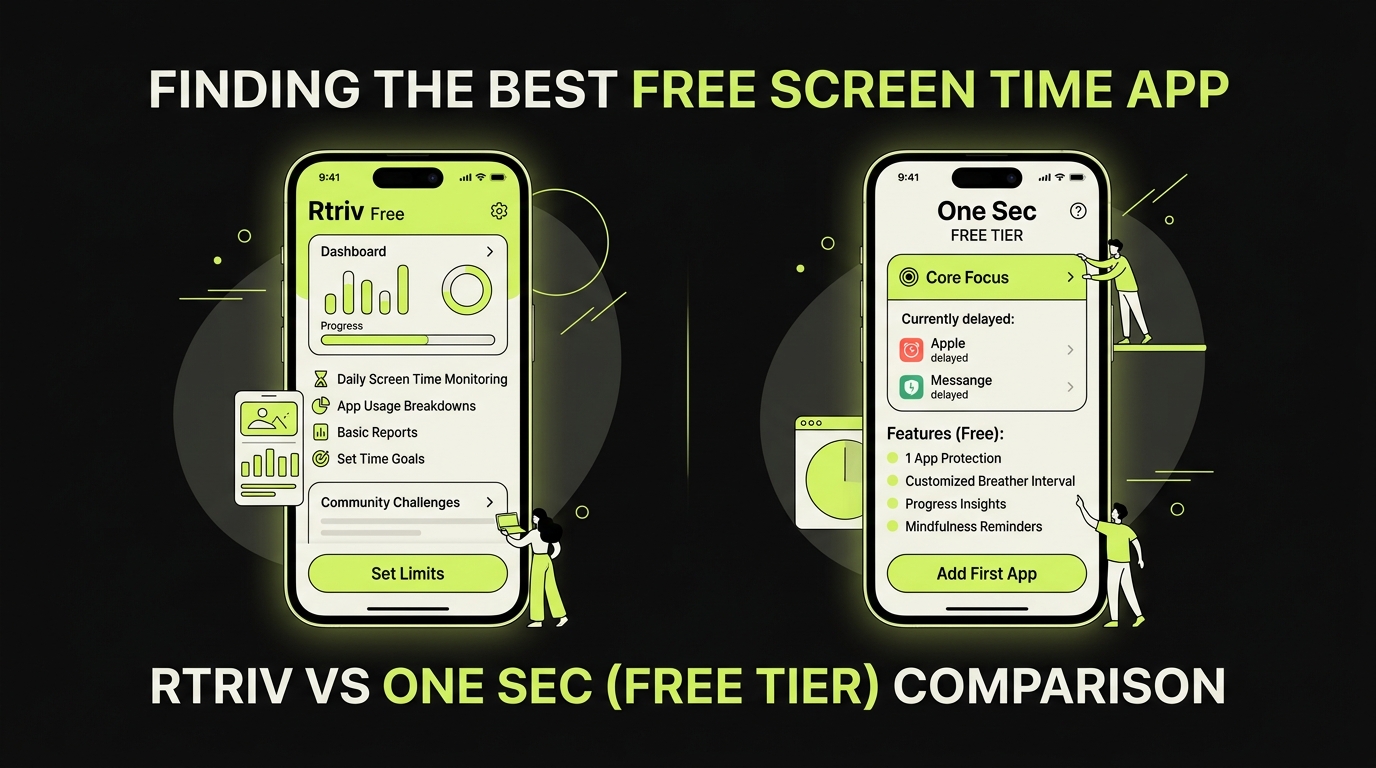
Rtriv: A Differentiated Opal App Alternative
Rtriv (rtriv.io) approaches the scrolling problem from a completely different angle than every other app-blocking tool option on this list.
Rather than restricting access to apps, Rtriv interrupts the behavior of mindless scrolling by giving it somewhere intentional to go.
How the Friction Mechanic Works
When you're about to scroll through Instagram, TikTok, or Reddit, Rtriv lets you save content — posts, videos, articles — directly from those apps. But here's the intentional design: it redirects your attention from passive feed consumption toward deliberate curation.
The act of saving something forces a micro-decision: Do I actually care about this? That pause — that tiny moment of agency — is the friction. Research on habit interruption consistently shows that inserting a decision point into an automatic behavior is one of the most effective ways to break the loop.
You build a personal reading list instead of letting the algorithm build one for you.
Why This Works When Blocking Doesn't
Hard blocking works for some people. But a 2021 study published in PLOS ONE found that app usage restrictions alone do not improve wellbeing and can increase anxiety around phone use.
Rtriv sidesteps that entirely. It doesn't create a forbidden behavior — it redirects an existing one. The scroll urge doesn't disappear, but it gets channeled into something with lasting value.
Who Rtriv Is Best For
Rtriv is particularly well-suited for:
- People who use social media for discovery — finding articles, creators, ideas — and want to retain that value without the mindless hours
- Anyone who has tried hard blockers and found them unsustainable
- Users looking for a free alternative to Opal that requires no habit overhaul to start using
The app is iOS-only and available on the App Store with a free tier that includes the core saving and friction mechanics.
How to Choose the Right Screen Blocker Alternative
With all these app-blocking tool options on the table, the choice comes down to one question: what does your scrolling habit actually look like?
If you scroll compulsively and need a hard stop, One Sec or Freedom will serve you better. The friction is immediate, mechanical, and hard to bypass in the moment.
If you want to reshape how you use social media without cutting it off, Rtriv or Clearspace are the more sustainable long-term choices. They work with your behavior instead of fighting it.
If you primarily struggle across multiple devices, Freedom's cross-platform approach is hard to beat among the Opal app substitutes available today.
If budget is a constraint, start with Rtriv's free tier or One Sec's free plan. Both give you meaningful behavior-change mechanics without a subscription.
The honest answer is that no single tool works for everyone. Screen time management is a deeply personal challenge — the science on digital wellbeing, including a 2023 meta-analysis in the Journal of Behavioral Addictions, consistently shows that intervention effectiveness varies significantly based on individual usage patterns and motivation.
Pick the tool that matches your specific friction threshold. Then give it three weeks before judging it.
Related reading :
Key Takeaways
- Opal alternatives range from hard blockers (Freedom) to friction-based tools (One Sec, Rtriv) to feed replacements (Clearspace) — choose based on your scrolling psychology, not just price.
- The best free alternative to Opal is either iOS Screen Time (basic, easy to bypass) or Rtriv's free tier (friction mechanics, content saving, no subscription required to start).
- Hard blocking triggers psychological reactance in many users — if you've failed with Opal, try a friction-based or redirection-based approach instead.
- Rtriv takes a different approach for social-media discovery by moving supported content into an action-oriented library rather than acting as a general-purpose hard blocker.
- Give any new tool at least three weeks before evaluating whether it's working — habit change isn't visible in days.
Frequently Asked Questions
About
Équipe RTRIV
We design RTRIV to turn saved content into decisions, projects and moments that are actually lived.