One Sec App Review & Best Alternative (2026)
Exploring the one sec app? This review covers how it works, who it's for, and why Rtriv may be a smarter alternative for intentional scrolling habits.
One Sec App Review: Does It Actually Stop Mindless Scrolling?
Here's an honest breakdown of what the one sec app does, where it falls short, and which alternative might work better for your specific scrolling habits in 2026.
On This Page
- What the one sec app does — and why friction works
- One sec app iPhone: setup, features, and limitations
- Who the one sec app is best suited for
- One sec alternatives: a different philosophy for a deeper problem
- Rtriv vs one sec: friction with purpose
- Frequently Asked Questions
What the One Sec App Does — and Why Friction Works
The one sec app is built on a deceptively simple idea: slow you down before you open a distracting app. When you try to tap Instagram, TikTok, or Twitter, it intercepts the action and prompts you to take a breath or set an intention. That one-second pause is enough to break the unconscious loop that drives most compulsive phone use.
This approach is grounded in behavioral science. A 2022 study published in PLOS ONE found that inserting even minimal delays before accessing social media apps reduced usage frequency significantly — without requiring users to block apps entirely. Friction, not blocking, is the mechanism.
The core insight is that most scrolling isn't intentional. It's triggered by boredom, anxiety, or habit. You don't decide to open TikTok — your thumb just does it. A pause-before-open app like one sec forces a split-second of consciousness back into the equation.
This is why the category of "intentional app openers" has grown rapidly. It's not about willpower. It's about architecture — designing your phone environment so that the default behavior requires a moment of thought.
That said, friction alone has limits. And that's where a deeper comparison becomes useful.
One Sec App iPhone: Setup, Features, and Limitations
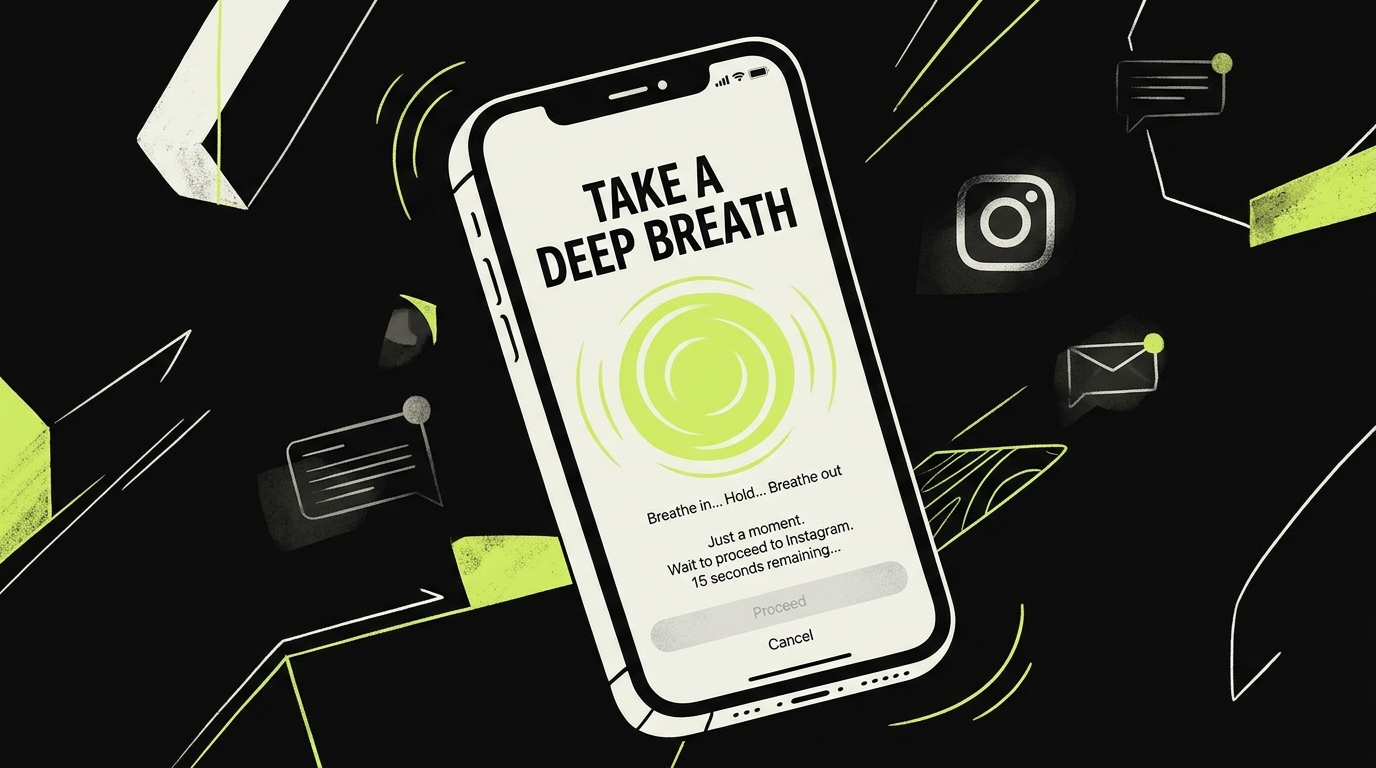
On iPhone, the one sec app works through iOS Shortcuts. You assign it to specific apps, and whenever you try to open them, Shortcuts intercepts the tap and routes you through one sec's pause screen first. It's clever engineering, but it comes with friction of its own — the setup kind.
Setting Up One Sec
To get it running, you need to create a Shortcut for each app you want to protect. If you're not already comfortable with the Shortcuts app, this can feel technical and unintuitive. Some users report spending 15–20 minutes on initial setup before it clicks.
Once configured, the experience is smooth. The default prompt is a one-second breath animation. Premium tiers unlock deeper options: reflection questions, streak tracking, session logging, and usage graphs.
What One Sec Does Well
- Lightweight intervention: It doesn't block apps. You can still open them — you just have to mean it.
- Cross-platform: Available on both iPhone and Mac.
- Data transparency: The app shows you how often you've paused and how often you've still proceeded anyway.
- Customizable per app: You can assign different prompts to different apps.
Where One Sec Falls Short
The one sec review landscape is generally positive, but a recurring criticism surfaces: it doesn't change what happens after you open the app. Once you're past the pause, you're back in the scroll loop with no exit ramp.
There's also no system for what to do instead. If you pause before opening Instagram but you're still bored, you'll usually open it anyway. The app solves the impulse problem but not the underlying desire problem.
For users who need more than a speed bump, this gap matters.
Who the One Sec App Is Best Suited For
The one sec app is a genuinely good tool for a specific profile of user. If you already have moderate self-regulation and mostly need a nudge — not a system overhaul — it delivers real value.
It works best for people who:
- Are already aware of their scrolling habits and want a lightweight intervention
- Use a small number of specific apps compulsively (Instagram, Reddit, Twitter)
- Don't mind a short setup process in the Shortcuts app
- Prefer data visibility over hard restrictions
It's less suited for users who scroll across many platforms, who tend to override friction anyway, or who are looking for something that actively helps them consume content more intentionally rather than just less frequently.
According to research from the University of British Columbia, reducing smartphone notifications alone led to measurable improvements in focus and mood — suggesting that the impulse layer of phone use is worth targeting. One sec addresses exactly that layer.
But for many users, impulse reduction is only half the equation.
One Sec Alternatives: A Different Philosophy for a Deeper Problem
If you've been searching for a one sec alternative, you're probably asking a more precise question: not just "how do I open apps less often?" but "how do I actually change my relationship with my phone?"
That distinction matters because it points to two different product philosophies.
Philosophy A — Pure friction: Insert resistance at the point of access. One sec is the clearest example of this. So are apps like Opal, which go further by hard-blocking apps during focus periods. If you're evaluating that category, you can read more in our guide to Opal alternatives.
Philosophy B — Intentional engagement: Instead of just making access harder, redesign what you do when you pick up your phone. This approach accepts that you will use your phone — and tries to make that use purposeful.
Most one sec alternatives fall into Philosophy A. They add more friction, more blocks, more timers. They treat phone use as a problem to suppress.
Philosophy B is rarer — and more interesting.
The question worth asking isn't only "how do I scroll less?" It's "what do I actually want to get out of my time online, and how do I make that the default?"
Rtriv vs One Sec: Friction With Purpose
This is where Rtriv enters the picture — and it's genuinely different from the One Sec friction app in a way that's worth spelling out clearly.
Rtriv is an iOS app built around two mechanics that work together:
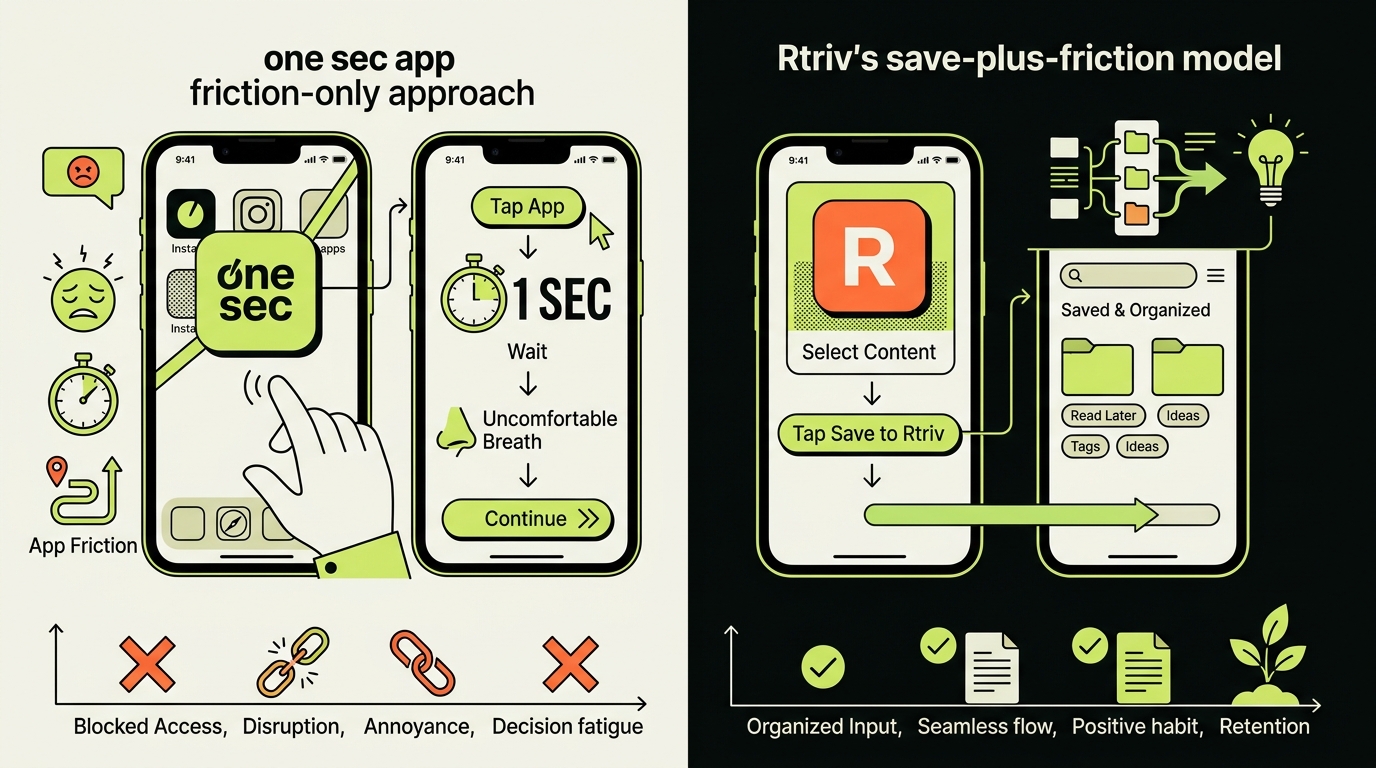
1. Save before you scroll. Rtriv lets you save content from social media — a post, a video, an article — directly into a personal library. Instead of doom-scrolling to find something interesting, you build a curated feed of things you actually wanted to revisit.
2. Friction before you open. Like one sec, Rtriv introduces intentional friction mechanics before you dive into a social feed. But the friction isn't just a pause — it's a redirect. "You have 14 saved things you wanted to read. Do you still want to open TikTok?"
That's the key difference. One sec makes you pause and then lets you proceed with no alternative offered. Rtriv makes you pause and gives you something better to do.
This matters for a psychological reason: friction without a replacement behavior tends to erode over time. You learn to auto-complete the breath and tap through anyway. When friction comes with an alternative — "here's the content you actually chose" — the pull toward mindless scrolling weakens more durably.
For users who want to be intentional about what they consume, not just how much time they spend consuming, Rtriv is a meaningfully different tool. It's not a pause-before-open app trying to stop you. It's a system trying to help you get what you actually came for.
You can explore how it fits into a broader screen time strategy in our roundup of best screen time apps for iPhone in 2026, or see how it compares across the wider category in apps to replace doomscrolling.
If one sec gave you a taste of what intentional phone use could feel like, Rtriv is the next step — friction plus purpose.
Related reading :
Key Takeaways
- The one sec app works by inserting a deliberate pause before you open a social media app — a behaviorally sound approach backed by research on friction and habit interruption.
- Its main limitation is that it stops at the pause: there's no system for what to do instead, which means many users override it once the novelty wears off.
- Rtriv combines the same intentional friction mechanics with a content-saving system, giving you a meaningful alternative to aimless scrolling — not just a speed bump in front of it.
Frequently Asked Questions
About
Équipe RTRIV
We design RTRIV to turn saved content into decisions, projects and moments that are actually lived.