Best Apps to Replace Doomscrolling in 2026
Replace doomscrolling with reading, learning or action. Compare blockers, pause apps and intentional alternatives for your exact trigger.
Best apps to replace doomscrolling—not just block it
Deleting a news or social app creates an empty moment. Unless you decide what belongs in that moment, the same feed often returns—or another feed takes its place.
The best apps to replace doomscrolling do one of three jobs: interrupt the reflex, provide a finite alternative, or turn a saved idea into an action. This guide matches each tool to the behavior it actually solves rather than ranking unrelated apps with one score.
Quick picks
| Your pattern | Best starting point | What replaces the feed |
|---|---|---|
| You open apps automatically | one sec | A pause and conscious choice |
| You cannot stop once inside | Opal or ScreenZen | A hard ending or session cap |
| You scroll to stay informed | Ground News or a newsletter reader | A bounded news check |
| You want something worth reading | Readwise Reader or Instapaper | A finite reading queue |
| You collect recipes, places and ideas | Rtriv | Structured saves and next actions |
| You reach for stimulation during breaks | Kindle, Libby or a podcast app | A preselected activity |
Prices and features can change. Check the current store listing before subscribing.
First identify what triggers the scroll
“Doomscrolling” often means repeatedly consuming negative or alarming information even when it makes you feel worse. But people use the word more broadly for any feed they cannot leave. The distinction matters.
- Reflex: your thumb opens Instagram before you have formed an intention.
- No stopping point: you enter for one post and remain for 40 minutes.
- Uncertainty: you keep refreshing news because the next update might feel decisive.
- Fear of losing something useful: you continue collecting recipes, advice or places.
- Low-energy escape: a difficult task or uncomfortable feeling sends you to the feed.
No app is best for all five. Track three unwanted sessions and write down what happened immediately before each one. Then choose one intervention below.
Apps that interrupt automatic opening
one sec
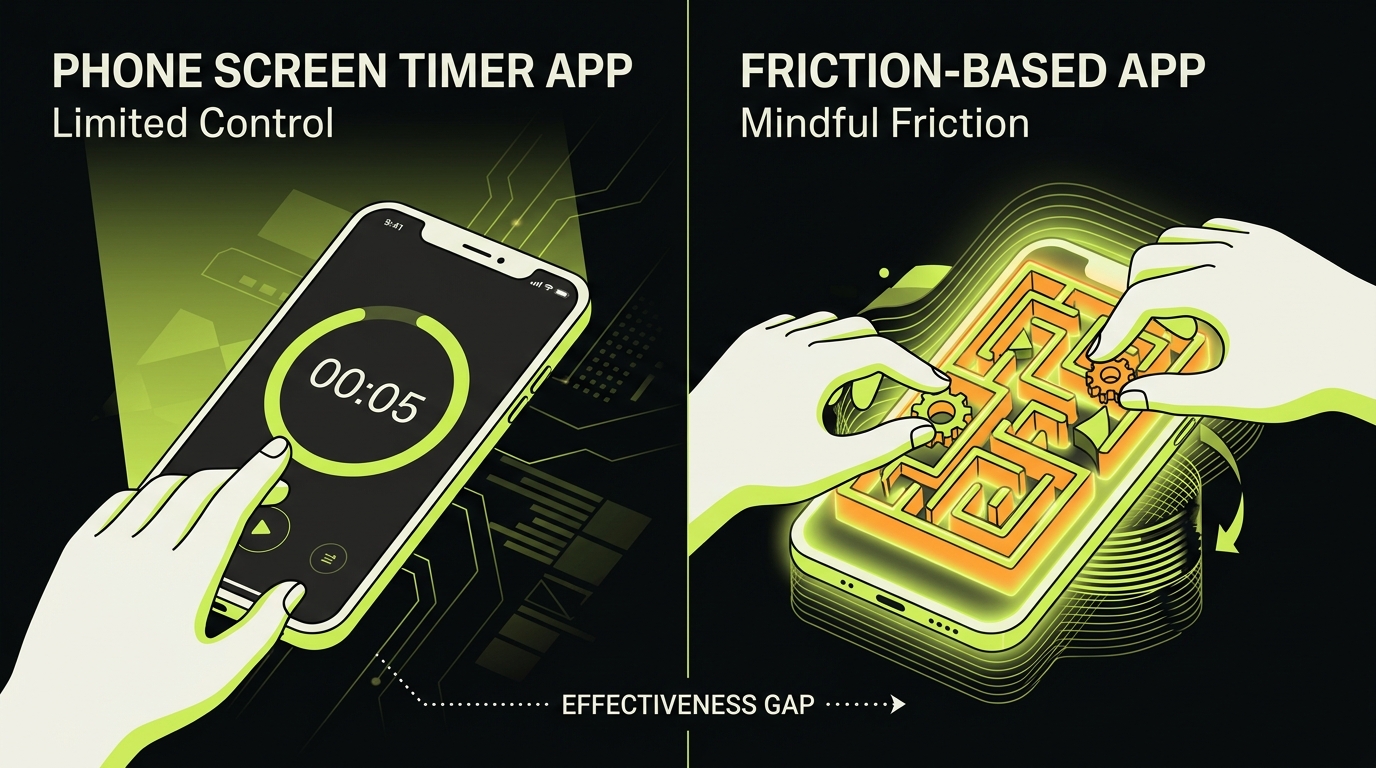
one sec inserts an intervention before a selected app opens. Its free tier covers one target app; Pro supports multiple apps and additional interventions, tracking and block sessions. This is the clearest fit when opening is the problem.
The pause is not magic. If you begin tapping through it automatically, change the intervention, lengthen it or pair it with a scheduled block. Our one sec review covers setup and trade-offs.
ScreenZen
ScreenZen can add a pause, cap opens and limit session length. It works well when you need more than a prompt but do not want every visit blocked. Its free, donation-supported model makes it a practical first test.
Use either tool on one app for seven days. Measure unwanted opens, not only total minutes.
Apps that create a hard stopping point
Opal
Opal offers scheduled rules, focus sessions, timers and stronger blocking modes across supported devices. It suits protected work, sleep and family windows. The trade-off is cost and complexity: a premium blocker is unnecessary if moving one icon already solves the problem.
Apple Screen Time
On iPhone, Screen Time is the free baseline. App Limits and Downtime can create an outer boundary, while a passcode held by someone you trust makes it harder to override. It is less useful for a reflexive five-second check because limits generally focus on accumulated time.
Blockers remove access; they do not decide what comes next. Put a book, saved reading queue or specific task where the feed used to be.
Apps that replace news refreshes with a finite briefing
If uncertainty drives your scrolling, replacing social media with another personalized infinite feed is a poor trade.
Ground News
Ground News groups coverage of the same story and surfaces differences among sources. Use it at one or two scheduled times, then leave. It is still a news product, so it can sustain compulsive checking if you do not define an endpoint.
Newsletters and RSS readers
An RSS reader or email newsletter delivers a finite inbox from sources you chose. Unfollow low-value publications until the queue fits the time available. “Inbox zero” is not required; stopping after the top three items is enough.
For anxiety-driven news checking, consider a 24-hour experiment with push alerts disabled. If world events are affecting your daily functioning or sleep, address the underlying distress rather than optimizing the feed.
Apps that provide a calmer content queue
Readwise Reader or Instapaper
Read-later tools separate discovery from consumption. Save an article, close the source and read it later without surrounding recommendations. The important feature is not highlighting or AI summaries—it is the finite queue.
Avoid turning “read later” into a second guilt-inducing archive. Keep a small inbox and delete freely. Choose one item, finish or discard it, then stop.
Kindle or Libby
A book has chapters and a visible end. Download one title in advance and place its app where the social icon used to be. Libby availability depends on participating libraries; Kindle works with purchased or imported books.
The goal is not to make every spare minute productive. It is to make the desired alternative easier to reach than the feed.
If attention regulation makes this especially difficult, see our guide to ADHD and doomscrolling for a more specific set of strategies.
Rtriv: replace collecting with doing
Some scrolling is powered by a reasonable fear: “If I leave now, I’ll lose that recipe, place or tutorial.” Native bookmarks preserve the post but often bury the information.
Rtriv lets you share supported content from Instagram, TikTok, YouTube, Pinterest or the web and extracts useful details. A recipe can become ingredients and steps; a place can appear on a map; an idea can join a collection. You can then close the source without losing what mattered.
Rtriv is not a substitute for Opal’s strict focus sessions. It solves a different stage of the loop: capture the useful item, then turn it into a next action. Pair it with Screen Time or another blocker if you also need enforced downtime.
A seven-day replacement test
- Pick one target app and one recurring trigger.
- Choose a replacement that meets the same need.
- Put the replacement on your first screen; remove the feed icon.
- Add a pause or limit to the target app.
- Define an endpoint: one article, ten minutes or one saved idea.
- Track unwanted openings and how you felt afterward.
- Keep, strengthen or replace the system based on evidence.
A replacement must be specific
“Use my phone less” is not an alternative. “When I reach for news after dinner, read one item from my saved queue” tells you what to do, when to do it and when to stop.
If you need screen-free options, use our list of things to do instead of doomscrolling. For the full behavior-change plan, read how to stop doomscrolling.
Sources checked
- Apple — Use Screen Time
- one sec — Pro feature comparison
- Opal — official features
- ScreenZen — official website
Key takeaways
- Match the app to the trigger instead of downloading the highest-rated blocker.
- Avoid replacing one endless feed with another.
- Give every session a visible endpoint and an offline or finite next step.
- Rtriv is strongest when useful social content keeps you in the feed; strict blockers serve a different need.
Frequently asked questions
What is the best app to replace doomscrolling?
Choose by trigger: one sec for reflexive openings, Opal or ScreenZen for limits, a read-later tool for a finite queue, and Rtriv for turning useful social posts into structured information and actions.
Should I replace social media with another feed?
Usually not. A new endless feed can preserve the same loop. Prefer an app with a stopping point, a finite queue or an action you complete away from the screen.
Can an app stop doomscrolling on its own?
It can change access and create a pause, but it cannot remove every emotional trigger. Pair the tool with a specific replacement and evaluate the result after one week.
Frequently Asked Questions
About
Équipe RTRIV
We design RTRIV to turn saved content into decisions, projects and moments that are actually lived.