How to focus on homework without checking your phone
Use a realistic homework setup to reduce phone checks, protect attention and finish one defined task without relying on perfect motivation.

How to focus on homework without checking your phone
To focus on homework, define one visible outcome, move your phone out of sight and reach, silence nonessential notifications, and start a short work block before waiting to feel motivated. The goal is not hours of perfect concentration. It is completing the next meaningful step with fewer opportunities to switch tasks.
A ten-minute reset: write the next task on paper, place the phone in another room or closed bag, set one timer, and begin with the easiest physical action—open the document, write the heading or solve the first problem.
Why the phone competes with homework
Homework often has a delayed reward: understanding a concept, finishing an essay or improving a grade later. A phone offers immediate alternatives with almost no effort. That does not make distraction a character flaw; it makes the environment uneven.
Notifications are part of the problem even when you resist them. An experiment published in 2015 found that phone notifications disrupted performance on an attention-demanding task without participants interacting with the device. Other experiments have reported lower attention or memory performance when a smartphone remained visible, although results and effect sizes vary across methods and populations.
The responsible conclusion is modest: moving and silencing the phone is a low-cost experiment, not proof that every phone on every desk destroys cognition.
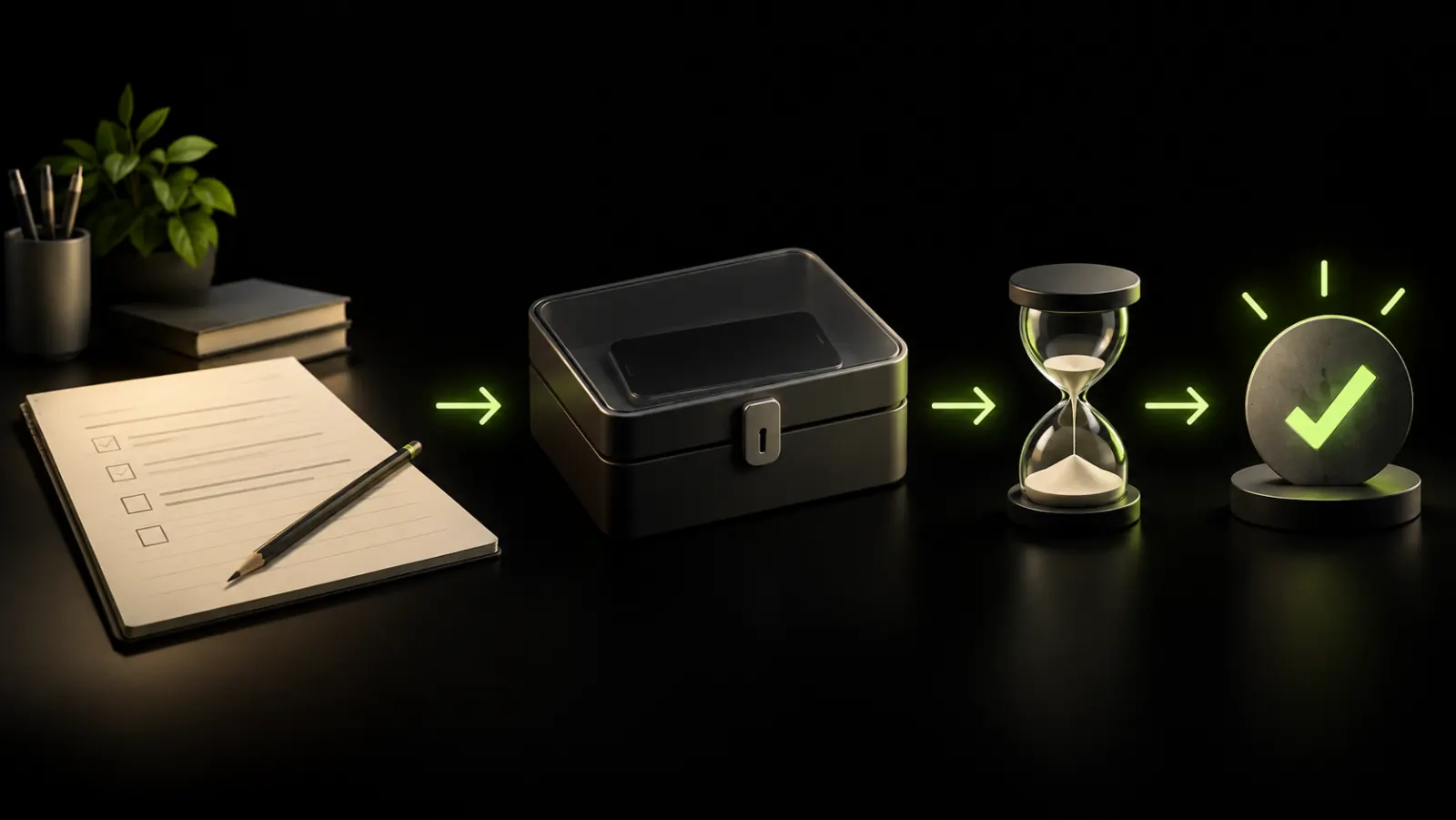
Build a homework block in five minutes
1. Define the finish line
Replace “study chemistry” with an observable result:
- answer questions 1–5;
- outline the first two paragraphs;
- review ten flashcards and mark uncertain answers;
- read four pages and write three notes;
- upload the completed worksheet.
A precise finish line reduces the urge to escape an undefined task.
2. Park the phone
Use the strongest boundary compatible with your situation:
- another room;
- a closed bag across the room;
- a drawer or box out of sight;
- screen down and silenced only when the other options are impractical.
If a caregiver or family member may need you, allow that contact through Focus or Do Not Disturb. Safety and accessibility take priority over a productivity rule.
3. Remove alerts from every device
A muted phone does not help if messages appear on a watch, tablet or laptop. Close social tabs, pause desktop notifications and keep only the homework tools required for the block.
4. Choose a realistic duration
Start with 15–25 minutes if beginning is difficult, or 40–50 minutes if the task needs deeper continuity. There is no universally optimal timer. The useful duration is long enough to make progress and short enough that you will start.
5. Decide the break before you begin
Choose water, movement, a snack or looking outside. Opening a short-video feed turns a bounded break into an activity with no natural stopping point. If you do use the phone, set the return time before unlocking it.
A practical setup for different homework problems
| Problem | Change the environment | Define the next action |
|---|---|---|
| You check every notification | Silence alerts and move all devices | Complete one question before checking |
| The assignment feels too large | Hide later sections | Write a three-line outline |
| You need the phone as a tool | Use one permitted function | Scan the page, then park the phone |
| You keep opening social media | Log out or add temporary friction | Work until the timer ends |
| You cannot restart after breaks | Use a paper break activity | Leave the next step written down |
What research can and cannot tell you
Laboratory studies isolate specific effects: a notification sound, a visible phone or a memory task. Homework happens in a noisier world with different ages, subjects, needs and devices. Findings that a phone's presence affected attention or recall do not prove that every student should use the same rule.
Longer-term academic research also deserves caution. A two-year panel study of university students found a negative association between in-class smartphone use and grades, but the estimated relationship became substantially smaller after researchers controlled for stable differences between students and courses. Phone use may matter without being the only explanation for performance.
Use evidence to design a personal test:
- choose one homework period;
- record the number of unplanned checks;
- record the task completed;
- repeat with the phone out of sight;
- keep the setup only if the outcome improves.
If you need the phone for the assignment
Do not create a rule that makes the work impossible. Separate tool use from feed use.
Before picking up the device, name the action: photograph a page, check one definition, scan a QR code, use two-factor authentication or message a classmate about one question. Complete it, then return the phone to its parking place.
For recurring tools, consider moving them to the computer or using a physical alternative: calculator, dictionary, timer or printed instructions. The goal is not technological purity; it is fewer transitions into unrelated content.
How to handle the urge to check
An urge does not require an argument. Keep a small “later” list and write what you wanted to check. Most items will feel less urgent at the end of the block.
Try this sequence:
- notice: “I want to check my phone”;
- name the trigger: confusion, boredom, message anxiety or fatigue;
- write the next homework action;
- continue for two minutes;
- decide again when the timer ends.
If the trigger is confusion, make the task smaller or ask for help. If it is fatigue, a real break may be more useful than forcing another hour. If it is fear of missing a message, create contact exceptions instead of monitoring every app.
Common strategies that backfire
Making the plan too strict
A system that blocks school authentication, transport updates or family communication will be abandoned. Preserve essential functions deliberately.
Measuring only total screen time
Two hours of homework research and two hours of unplanned video are not equivalent. Track unwanted checks and completed work alongside minutes.
Using the phone as the reward every time
This keeps the phone at the center of the routine and may make restarting harder. Alternate with rewards that have a clear end.
Waiting for motivation
Motivation can follow visible progress. Lower the entry cost until the first action feels possible, then reassess after the first block.
Installing several blockers at once
More rules do not automatically create more attention. Test one change for a week. Our comparison of screen-time apps can help if built-in settings are not enough.
When concentration problems need more than phone settings
Persistent difficulty concentrating can have many causes, including inadequate sleep, stress, anxiety, depression, ADHD, learning difficulties, medication effects or an unsuitable study environment. A phone may amplify the problem without causing it.
Talk to a parent, teacher, school counselor or qualified health professional when concentration problems are persistent, affect several areas of life or cause significant distress. Do not use a productivity article as a diagnosis.
If feeds rather than homework are the broader issue, follow the structured guide to stop doomscrolling. A short digital detox can also serve as an experiment, not a universal cure.
Key takeaways
- Give each homework block a concrete finish line.
- Put the phone out of sight and silence alerts across devices.
- Preserve essential contacts and required study tools.
- Use timers as boundaries, not as a rigid scientific formula.
- Compare completed work and unwanted checks, not only screen time.
- Seek support when concentration problems are persistent or widespread.
Sources
- The attentional cost of receiving a cell phone notification (2015)
- Mobile phones: the effect of presence on learning and memory (2020)
- The mere presence of a smartphone reduces basal attentional performance (2023)
- The effect of smartphone use on academic performance may be overestimated (2020)
- Individual differences in memory disruption caused by notifications (2022)
Frequently asked questions
How can I focus on homework when my phone distracts me?
Define one small outcome, place the phone out of sight and reach, silence alerts, and begin a short timed block. Keep only the tools and contact exceptions you genuinely need.
Should I turn my phone off while studying?
It can help, but it is not required. Another room, a closed bag or Focus mode may create enough separation while preserving emergency communication.
Is the Pomodoro technique scientifically proven?
There is no single work-rest interval proven best for every learner and task. Timed blocks are useful when they create a clear beginning, end and return point.
What if I need my phone for homework?
Name the exact function, complete it, and park the phone again. Separating a required tool action from open-ended browsing is more practical than banning the device completely.
Frequently Asked Questions
About
Équipe RTRIV
We design RTRIV to turn saved content into decisions, projects and moments that are actually lived.