How to Save an Instagram Video Safely (2026)
Save an Instagram video by bookmarking it, downloading eligible content or organizing its link. Compare each method, limitations and copyright rules.

How to Save a Video from Instagram: Choose the Right Method
To save an Instagram video, first decide what save should mean: bookmark it inside Instagram, download an eligible file to Photos, or store the link and useful details elsewhere. These outcomes are different, and not every video can or should be downloaded.
On This Page
- Why Instagram makes it hard to save videos
- Choose the right Instagram save method
- How to save instagram videos using the native bookmark feature
- How to download a video from instagram to your camera roll
- Third-party tools to save instagram videos to your phone
- The smarter way to save instagram videos with rtriv
- Key Takeaways
- FAQ
Why Instagram Makes It Hard to Save Videos
Instagram uses the word “save” for more than one outcome. A bookmark keeps a reference inside Instagram; downloading creates a media file; sharing a link to another app can create an external reference or structured record. Choosing the wrong method is why many guides feel confusing.
Understanding this helps you make a more deliberate choice about how you save content — and why.
Choose the Right Instagram Save Method
| Your goal | Best starting method | What you keep |
|---|---|---|
| Watch the post again in Instagram | Native Save bookmark | A private reference to the original post |
| Keep your own published video | Instagram's available Download or export controls | A media file or account archive |
| Reuse another creator's video | Ask for permission and an authorized file | A copy you are allowed to use |
| Retrieve a recipe, place or tutorial later | Save the supported link in an organized library | A searchable reference and extracted details |
If a menu label differs from the steps below, update Instagram and inspect the post's current three-dot or Share menu. Availability can vary by content, account, region and app version.
How to Save Instagram Videos Using the Native Bookmark Feature
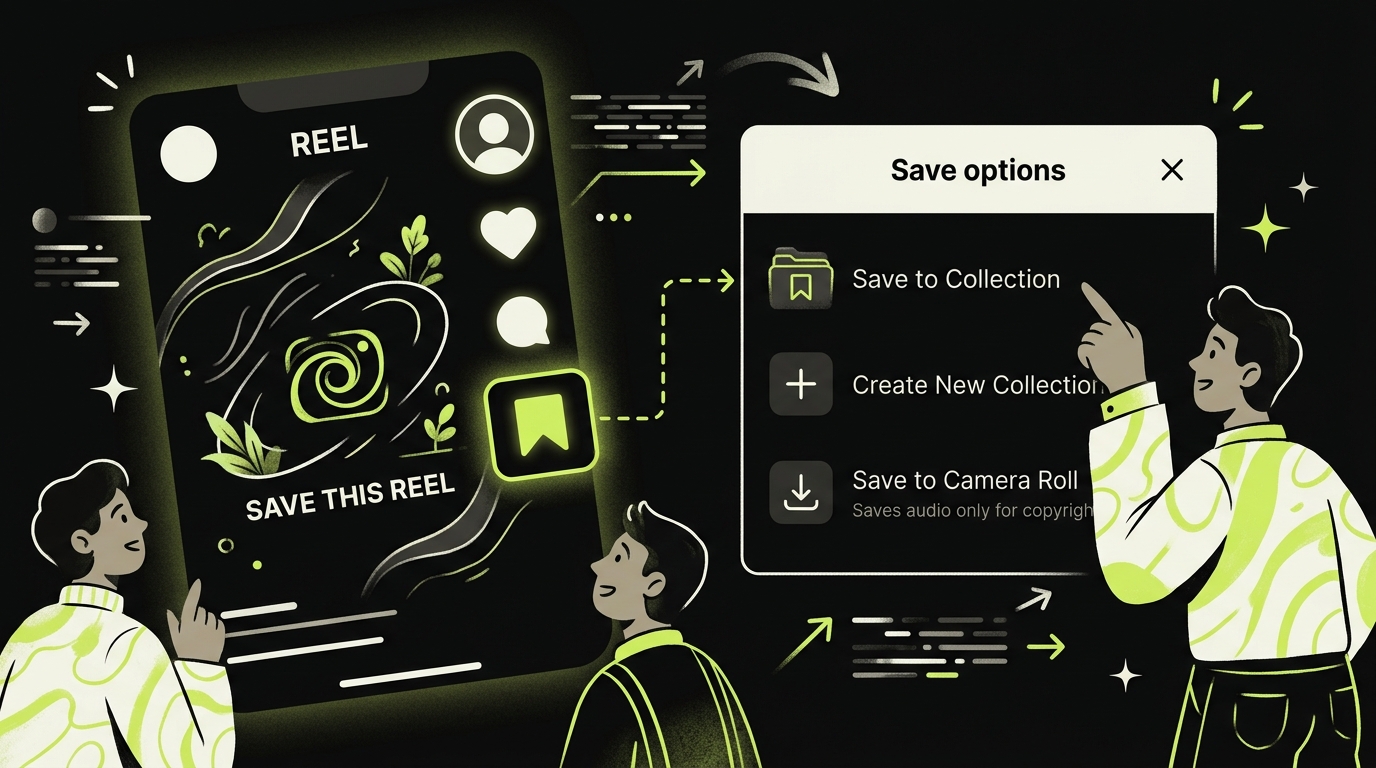
The simplest method Instagram offers is its built-in Save feature. It doesn't download the video — it bookmarks it within the app — but it's a useful first step if you just want to find it again later.
Saving a Post to a Collection
Tap the bookmark icon (🔖) below any Instagram video post. The video gets saved to your profile under Saved → All Posts. You can also hold the bookmark icon to save it directly into a named collection, which helps with organization.
The catch: this only works as long as the original post exists. If the creator deletes it or makes their account private, your "saved" video disappears with it. It's not a real download.
Saving Reels from the Share Menu
For Reels, tap the paper plane icon (share), then select Save. Again, this saves it within the Instagram ecosystem only — not to your iPhone camera roll.
This method is appropriate for casual reference. It does not create a local copy and should not be treated as permanent storage.
How to Download a Video from Instagram to Your Camera Roll
Getting an Instagram video into your actual camera roll requires a slightly different approach depending on whether it's your own content or someone else's.
Downloading Your Own Instagram Videos
If you posted the video yourself, check whether Instagram currently offers a download control:
- Open the post and tap the three-dot menu (⋯) in the top right.
- Look for Download or Save to Camera Roll.
- Confirm that the file appears in Photos before relying on it as a backup.
The option is not identical for every format or account. For a broader backup, use Instagram's account-information export controls. Audio licensed for use inside Instagram may not be included in an exported or downloaded file.
Downloading Someone Else's Public Video
For another creator's video, start with Instagram's bookmark. If you need the actual file for editing, publishing or commercial work, ask the creator for permission and an authorized copy. A public post is not the same as a public-domain work.
Avoid services that request your Instagram password, session cookie or account login. Their security, availability and compliance are difficult to verify, and downloading a file does not grant the right to reuse it.
Third-Party Tools to Save Instagram Videos to Your Phone
If you regularly need to download Instagram clips for work, research, or personal reference, a dedicated tool saves time. Here's an honest breakdown of the landscape.
Evaluate Third-Party Tools Before Using Them
Do not enter Instagram credentials into an unofficial downloader. Check what data the service collects, whether it uploads the URL to its own servers, how files are retained and whether you have permission to make the copy. If those answers are unclear, use a bookmark or request the file from the creator instead.
What's Missing from All of These
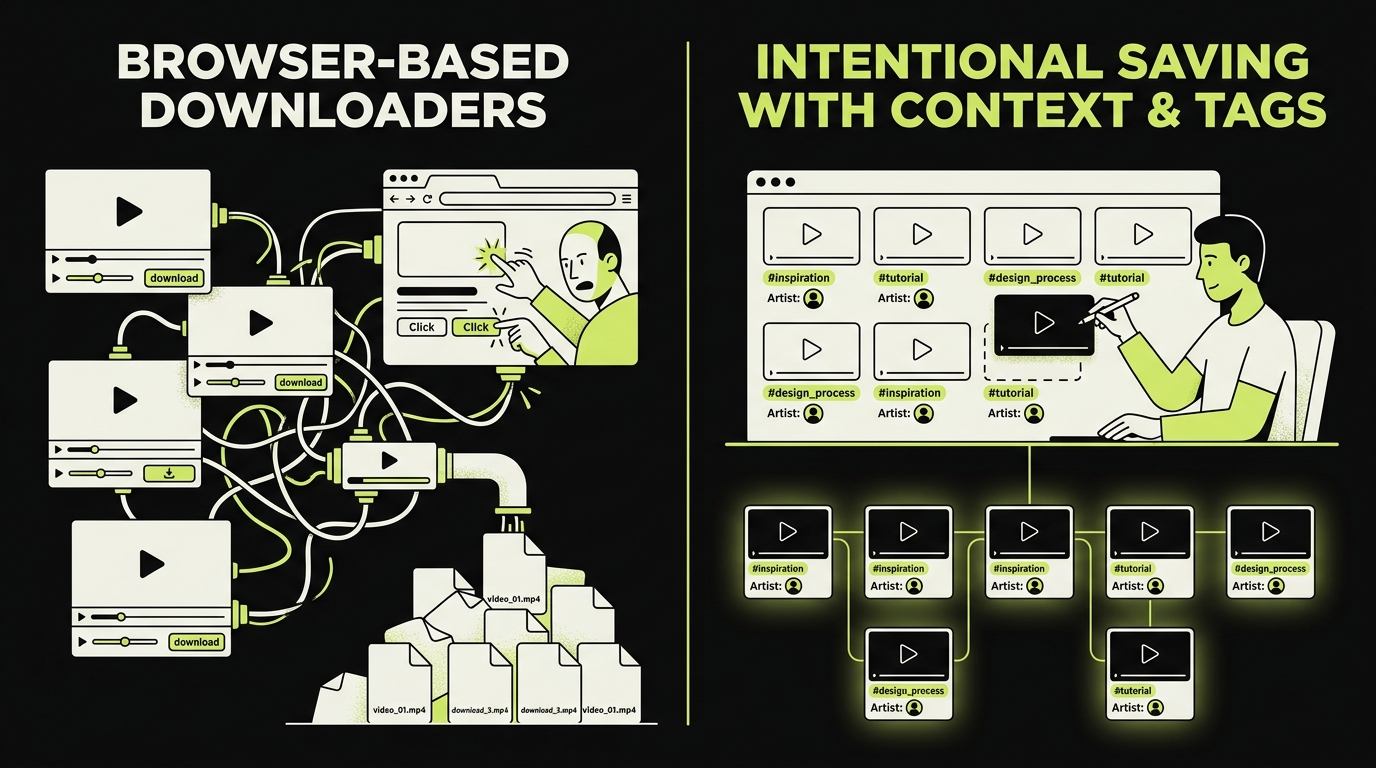
Every third-party downloader shares the same blind spot: they treat saving as a purely mechanical act. You get the file — and nothing else. No reason you saved it, no tagging, no reminder to actually watch it, no way to distinguish "save for later" from "save forever."
Downloading more videos does not make them easier to retrieve or act on. If the goal is reference rather than ownership of the media file, organization is usually the more relevant problem.
The Smarter Way to Save Instagram Videos with Rtriv
Most guides on how to save Instagram videos stop at the technical question: how do I get the file? But there's a more important question underneath: why am I saving this, and will I actually use it?
That's the problem Rtriv was built to solve.
Save Instagram Videos as Intentional Bookmarks
Rtriv is an iPhone app that accepts supported social-media content and web links through the iOS share sheet. It centralizes those saves in a searchable library and collections; depending on the source, it can extract a title, summary, transcript, ingredients or steps.
It interrupts the autopilot loop. Instead of saving forty videos you'll never watch, you save ten that actually matter — because you had to think for half a second about why.
Built-In Friction That Protects Your Attention
Rtriv’s configurable attention controls are separate from saving: you can add friction or blocking rules before selected apps open and set daily intentions, quotas or reminders.
This isn't about limiting what you can save. It's about making the act of saving mean something again.
A Curated Library You'll Actually Use
Once saved, the structured item lives in Rtriv’s searchable library. This is not the same as downloading the underlying video file, and access can still depend on the source remaining available.
You can organize by topic, review on your own schedule, and actually revisit the content you meant to keep. For a complete overview of saving content across platforms, see How to save content from social media: the complete guide.
Who This Is For
Rtriv is particularly useful if you:
- Save Instagram videos for work (recipes, tutorials, references, inspiration) but can never find them again
- Notice yourself doom-scrolling and want a behavioral speed bump
- Want references to supported content organized in one searchable library
If you're looking for every technical method side by side, check out How to save a video from Instagram: all methods for the full breakdown.
Related reading :
Key Takeaways
- Instagram's native Save feature bookmarks content in-app only — it won't survive a deleted post or a private account change, and it won't get the video onto your camera roll.
- For your own videos, check Instagram's current download or account-export controls. For another creator's file, request permission and an authorized copy.
- Third-party downloaders give you the file but nothing else — no context, no organization, no friction to prevent mindless hoarding.
- Rtriv organizes supported Instagram content shared from iPhone, but it is not a promise to download or preserve the creator’s underlying video file.
- Bookmarking, downloading and republishing are different actions; obtain permission before reusing someone else’s work.
Sources Checked
Frequently Asked Questions
About
Équipe RTRIV
We design RTRIV to turn saved content into decisions, projects and moments that are actually lived.