Best Digital Wellness Apps in 2026: Full Comparison
Comparing the best digital wellness apps for iPhone in 2026. Find the right mindful tech tool to reclaim your attention and break phone addiction.
The Best Digital Wellness Apps Compared: Which One Actually Changes Your Habits?
Here is an honest, side-by-side breakdown of the leading digital wellness apps in 2026 — what they do, where they fall short, and which one is worth your time if you are serious about reclaiming your attention.
On This Page
- Why Most Digital Wellness Apps Miss the Point
- The Four Categories of Digital Health Apps
- Top Digital Wellness Apps for iPhone: Compared
- What the Research Actually Says About Phone Wellbeing Software
- Why Rtriv Takes a Different Approach
- Key Takeaways
- Frequently Asked Questions
Why Most Digital Wellness Apps Miss the Point
Most people searching for digital wellness apps already know they have a problem. They open Instagram to check one notification and surface forty minutes later, vaguely unsatisfied. They reach for their phone during dinner, during conversations, during moments that used to feel complete without a screen. The market has responded with dozens of tools, but the majority of them treat symptoms rather than causes.
The dominant approach is restriction: block the apps, set a timer, lock yourself out. And while blocking tools have their place, they do not address the underlying mechanism. Social media platforms are engineered to exploit variable reward loops — the same psychological pattern that makes slot machines compelling. Simply blocking access does not rewire that reflex. It just delays it.
The most effective mindful tech apps are the ones that intervene at the moment of compulsion, not before it. That distinction matters more than any feature list.
If you are also evaluating tools specifically built to reduce compulsive scrolling, the apps to replace doomscrolling guide covers that angle in depth.
The Four Categories of Digital Health Apps
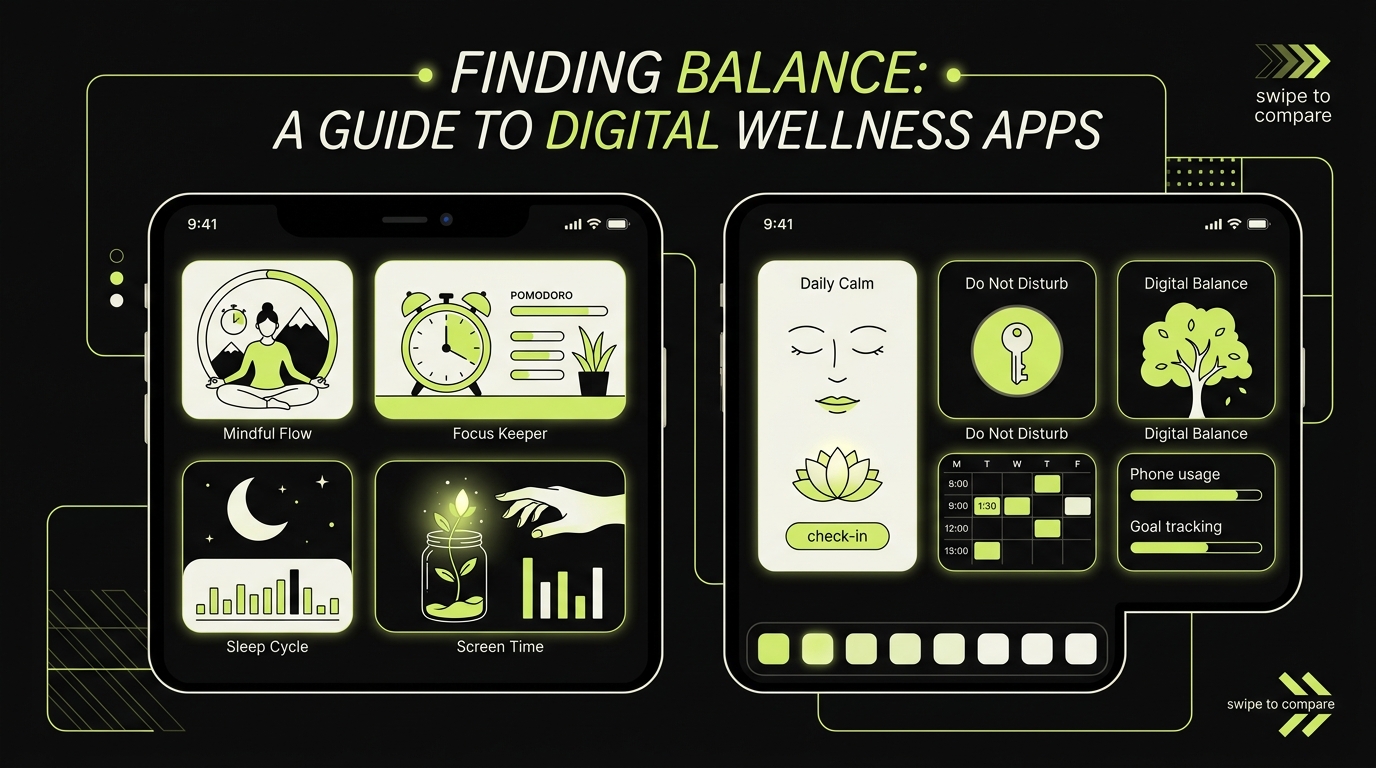
Before comparing specific products, it helps to understand that digital health apps for screen time fall into four distinct categories. Each solves a different problem — and knowing which problem you actually have will save you time and money.
1. Screen Time Trackers
Apps like Apple's built-in Screen Time and third-party tools like Moment show you exactly how much time you spend on each app. They are diagnostic tools, not therapeutic ones. Seeing the number is useful once. It rarely changes behavior on its own.
2. App Blockers
Opal, Freedom, and Cold Turkey are the most recognized names here. They prevent access to specified apps during scheduled windows or focus sessions. They work well for people with high willpower who just need a structural guardrail. They tend to fail people who bypass them under stress — which is most people.
For a deeper look at this category, the Opal alternatives article breaks down what is worth trying if you do not want to pay a subscription.
3. Replacement Habit Apps
Tools like Fabulous or Calm do not touch your phone use directly. Instead, they try to build competing behaviors — meditation, journaling, morning routines. The logic is that a phone fills an attention vacuum, so filling that vacuum deliberately reduces the pull. These work well as complements, but rarely as standalone solutions.
4. Friction-Based Intervention Apps
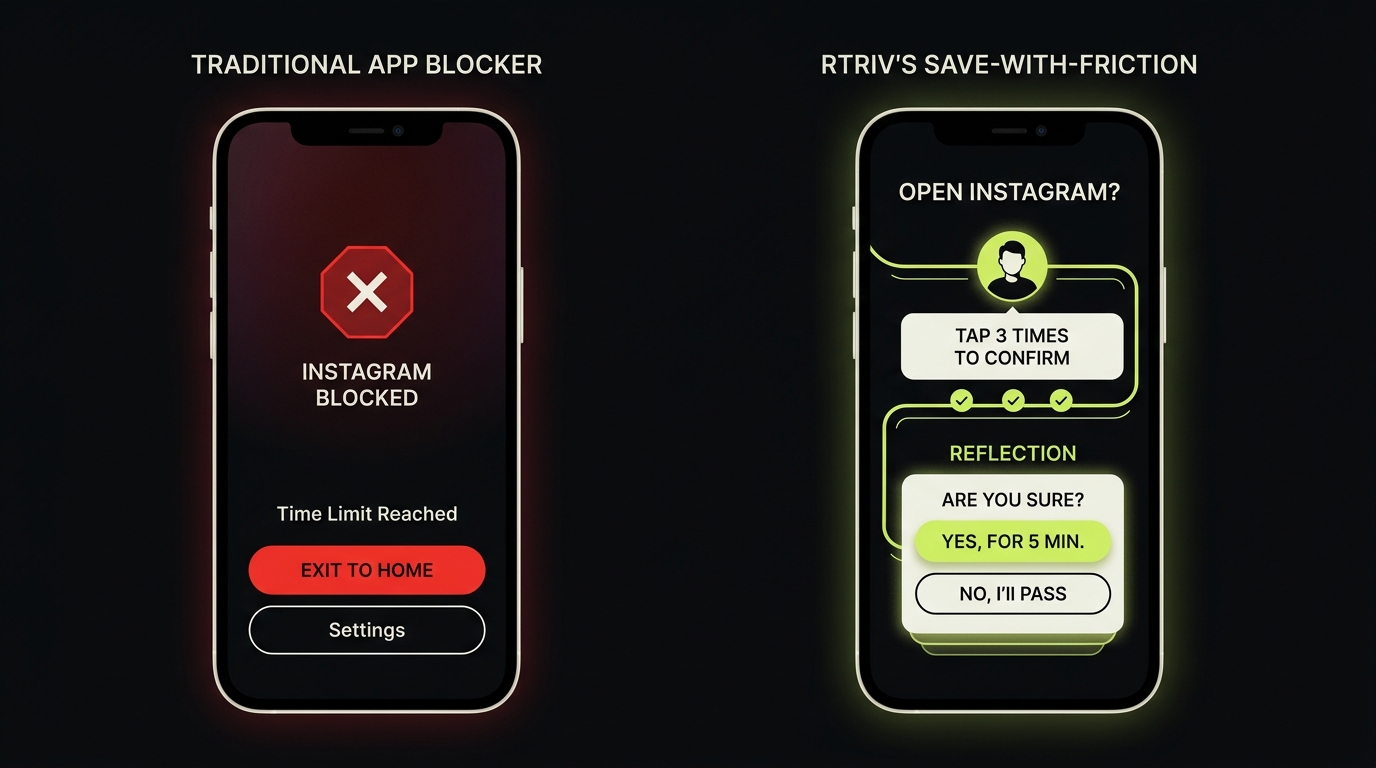
This is the smallest and most interesting category. These phone wellbeing tools do not block content and do not track time. They interrupt the automaticity of scrolling by inserting a moment of intentional choice. Rtriv sits here. The logic is behavioral: if you can interrupt the reflex before it completes, you can change the habit faster than any blocker.
Top Digital Wellness Apps for iPhone: Compared
Here is how the major players stack up across the dimensions that matter most for someone ready to make a real change.
Opal
Opal is polished, well-designed, and genuinely effective for scheduled blocking. Its "deep focus" sessions are particularly useful for knowledge workers. The weakness is the subscription cost and the fact that motivated users find ways around it within days. It is a great mental wellness app for iPhone users with clear, predictable distraction patterns.
Best for: People who lose time during specific windows (morning, work hours). Limitation: Does not address compulsive evening or weekend scrolling effectively.
Freedom
Freedom works across devices — iPhone, Mac, and Android — which makes it powerful for people who shift between screens. The cross-platform sync is its main differentiator. It is more of a productivity tool than a mindful tech app in the full sense; it does not address why you want to scroll, only when you can.
Best for: Remote workers juggling multiple devices. Limitation: No behavioral insight, no habit-building layer.
Clearspace
Clearspace is one of the more psychologically sophisticated blockers on the market. It requires you to complete a brief breathing exercise before accessing a blocked app. This friction model is closer to what behavioral science recommends. Response rates drop when even a small obstacle is introduced between impulse and action. The limitation is that it still frames the phone as something to be resisted, rather than used intentionally.
Best for: People who are motivated but lack an in-the-moment pause. Limitation: iOS-only, limited content-saving features, friction is generic rather than habit-forming.
Apple Screen Time (Built-In)
Free, frictionless to set up, and deeply integrated with iOS. App Limits, Communication Limits, and Downtime are all solid features. But the one-tap override is a fatal flaw for anyone with genuine compulsive patterns. When the urge hits, the four-second override feels like no barrier at all.
Best for: Parents managing children's screen time. Limitation: Almost useless for self-regulation in adults with strong scrolling habits.
What the Research Actually Says About Phone Wellbeing Software
The evidence base for this category is still developing, but the clearest signal is this: passive awareness (showing people their screen time) produces almost no lasting behavior change. Active friction does.
A 2023 study published in PLOS ONE found that app-blocking interventions reduced social media use by an average of 28–31% over a four-week period — but only when the friction was meaningful enough to require a deliberate override. Tools that could be bypassed in one tap showed no statistically significant effect after the first week.
The mechanism matters. Research on habit formation from University College London consistently shows that behavioral loops are broken most reliably at the cue-response stage, not by removing the reward. In practical terms: the best time to interrupt a scrolling habit is the moment the phone comes out of the pocket, not thirty minutes in.
This is the insight that most digital wellness apps are still catching up to. The category is full of tools that intervene too late — after you are already deep in a feed — or too bluntly, through total restriction that breeds resentment and rebound use.
For a broader look at how screen time tools perform on iPhone specifically, the Best screen time apps for iPhone in 2026 article covers the full landscape.
Why Rtriv Takes a Different Approach
Rtriv is not a blocker. It does not restrict your access to social media, and it does not send you notifications reminding you of your screen time. What it does is more precise — and in terms of behavioral design, more honest about how scrolling actually works.
The core mechanic is this: when you encounter content on social media that you want to save, Rtriv intercepts that impulse and introduces deliberate friction before saving it. This does two things simultaneously. First, it interrupts the mindless scroll at the exact moment a compulsive saving reflex would fire. Second, it helps you build a personal library of content that you actually chose — not content you half-heartedly bookmarked and forgot.
This matters because most compulsive scrolling is not really about consuming content. It is about the act of seeking. The infinite feed offers the neurological hit of discovery without requiring any commitment. Rtriv reintroduces commitment at the moment of saving, which changes the quality of your relationship with content over time.
This is what makes Rtriv a genuinely differentiated option in the mindful tech apps space. It does not ask you to stop using social media. It asks you to use it with intention — and it builds the structure that makes intention possible.
The friction is not punitive. It is architectural. And for people who have tried blockers and found them either too rigid or too easy to override, that distinction is significant.
Rtriv is currently available on iOS. If you are someone who spends meaningful time saving content from Instagram, TikTok, or Twitter — and finds yourself with hundreds of saved posts you never return to — the app is worth a close look at rtriv.io.
Related reading :
Key Takeaways
- Most digital wellness apps treat the symptom (screen time) rather than the cause (compulsive scrolling reflexes) — choose a tool that intervenes at the moment of impulse, not after.
- App blockers like Opal and Freedom work well for structured focus windows but fail for unplanned, emotionally driven scrolling — especially if they can be bypassed in one tap.
- Research confirms that meaningful friction reduces compulsive app use by up to 30%; tools that require zero effort to override show no lasting effect after the first week.
- Rtriv stands apart from other digital health apps by combining content-saving with intentional friction mechanics — it does not restrict access, it rewires the saving reflex to make consumption more deliberate.
- Match the tool to your actual pattern: blockers for scheduled distractions, friction-based tools for compulsive scrolling, habit apps as complements — not replacements.
Frequently Asked Questions
About
Équipe RTRIV
We design RTRIV to turn saved content into decisions, projects and moments that are actually lived.