Best Content Curation Tools in 2026 (Honest Picks)
Discover the best content curation tools in 2026. Compare top apps, find the right fit for your workflow, and see why Rtriv takes a different approach.

The Best Content Curation Tools Compared: What Actually Works in 2026
Here's an honest, side-by-side breakdown of the top content curation tools available today — what they do well, where they fall short, and which one fits your actual habits.
On This Page
- Why content curation tools matter more than ever
- The best content curation tools compared
- What most content curator tools get wrong
- Rtriv: a content curation app built around friction
- How to choose the right tool for your needs
- Key Takeaways
- FAQ
Why Content Curation Tools Matter More Than Ever
If you've ever lost a link you meant to revisit, saved something to your phone's camera roll and never found it again, or bookmarked an article only to forget it existed — you already understand the problem that content curation tools are trying to solve. We're producing and consuming more digital content than any previous generation, and the infrastructure to actually retain that content hasn't kept pace.
The practical problem is fragmentation: articles in a browser, videos in platform bookmarks, screenshots in Photos and notes in another app. A useful curation system reduces the number of places you need to search.
The market for digital curator platforms has grown accordingly. From minimalist link-savers to complex knowledge management systems, there's now a tool for nearly every use case. But more options haven't made the decision easier.
What's changed recently is the context in which we're consuming content. A growing share of it comes from short-form social media — TikTok, Instagram Reels, YouTube Shorts — and most traditional link curation apps were simply never designed for that environment.
That gap is exactly where the most interesting new content collection tools are emerging.
The Best Content Curation Tools Compared
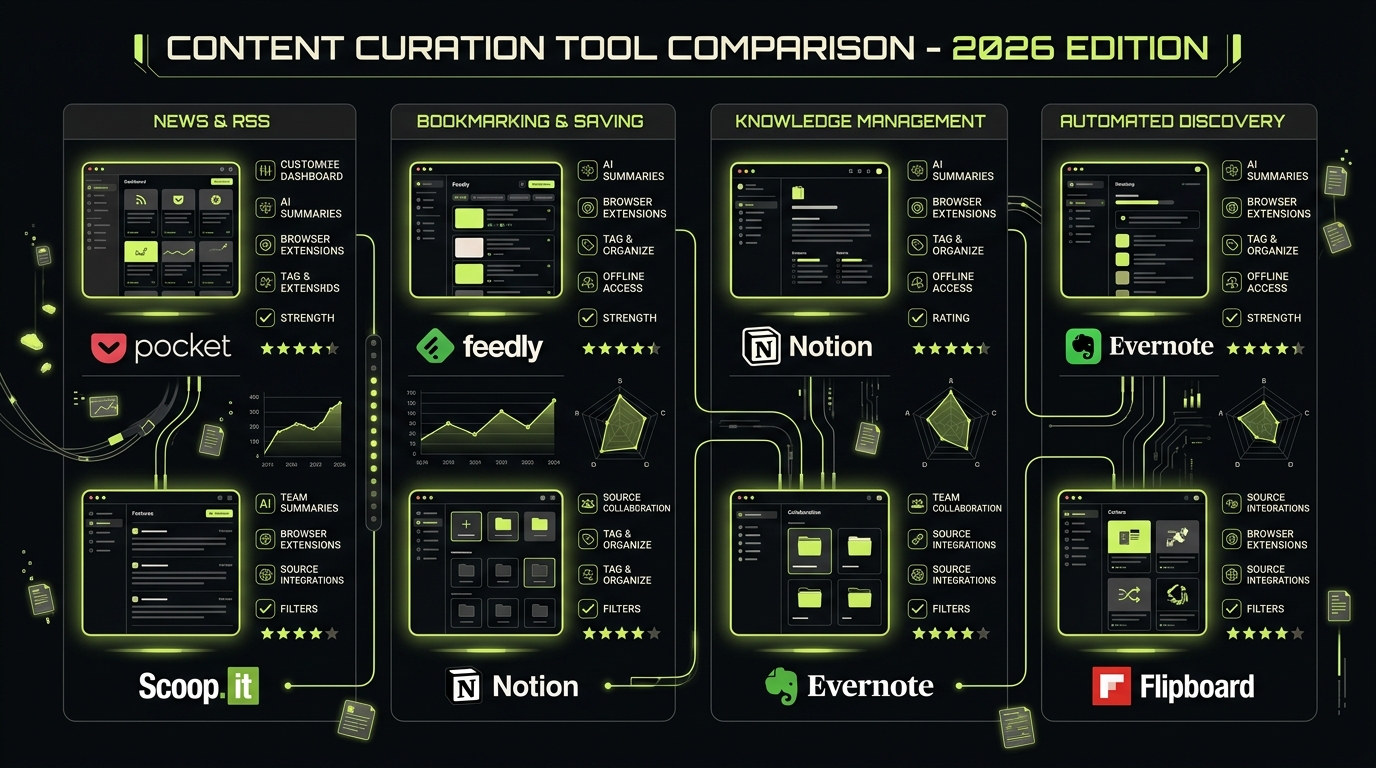
Let's get concrete. Here are the tools most people are evaluating in 2026, and what each one actually does well.
Notion
Notion is a flexible digital curator platform. You can build link databases, reading lists, tagged media libraries and embedded-video collections. Its official Web Clipper guide confirms support for saving web pages on desktop and through the mobile share sheet. The tradeoff is that you still need to design and maintain the database.
Notion works best for people who already have a system and want to customize it. It is a weaker fit if you want an opinionated workflow with little setup.
Raindrop.io
Raindrop.io is arguably the cleanest pure-play link curation app available. It handles URLs beautifully, supports nested collections, and has a browser extension that makes desktop saving effortless.
Where it struggles is the same place as most tools in this category: social media. Saving a TikTok or a Reel into Raindrop is clunky at best. The app was designed around the open web, not the walled gardens where most content now lives.
Readwise Reader
Readwise Reader targets serious readers. Its official Reader documentation describes support for articles, PDFs, ebooks, newsletters and RSS feeds, alongside web, mobile and desktop apps.
If your content diet is primarily text — long reads, newsletters, research — this is one of the best content curator tools available. If you're trying to save short videos, it's not the right fit. You can also explore the Best Readwise alternatives in 2026 if you find the pricing or feature set doesn't match your needs.
Pocket (and its alternatives)
Pocket helped define this category, but Mozilla shut the service down in July 2025. It is useful as a historical reference, not as a current recommendation. Our Pocket alternatives guide compares active replacements.
Obsidian
Obsidian is less a content curation app and more a second brain operating system. It uses local Markdown files and bi-directional links to create a personal knowledge graph. The community is passionate, and the plugin ecosystem is deep.
The learning curve is steep. Mobile saving is genuinely painful without third-party workarounds. For most people, it's overkill. For knowledge workers who live in their notes, it's irreplaceable. If that category interests you, the Best second brain apps in 2026: top picks for iPhone is worth a look.
What Most Content Curator Tools Get Wrong
Here's the angle that almost no comparison article addresses: the tools themselves are often part of the problem.
Think about the typical saving workflow. You're scrolling Instagram. You see something worth keeping. You tap the share button, open your curation app, save the link, and then — because you're already in the scroll — you keep going. The act of saving didn't interrupt anything. It actually gave you a micro-reward that deepened the loop.
Saving is only the first step. A useful workflow also gives the item a destination and a next action; otherwise the archive can grow without becoming easier to use.
This is the structural blind spot of most content collection tools: they optimize for frictionless saving without considering what happens to your attention before and after the save. They're passive receptacles, not behavioral interventions.
The result? You end up with a beautifully organized graveyard of links you'll never revisit, while continuing to scroll for another 40 minutes.

Rtriv: a Content Curation App Built Around Friction
Rtriv is an iPhone content-curation app for supported social-media content and web links. Share an item through the iOS share sheet and it becomes part of a searchable library and collections.
Depending on the source, Rtriv can extract a title, summary, transcript, ingredients or steps. This makes the distinction between “saved” and “usable” concrete: a recipe can become steps, while a recommendation can be easier to retrieve later.
That pause is not a bug. It's the entire product philosophy.
Saving from social media, natively
Rtriv uses the iOS share sheet for supported sources. Support can vary by platform and format, so the safe workflow is to share the item and confirm the extracted result in the app.
It works where your content actually lives: on your phone, in social apps, in the middle of your day.
The friction mechanic as a behavioral reset
Most digital curator platforms compete on how easy they make saving. Rtriv competes on something different: making the save meaningful.
That friction moment serves two purposes. First, it increases the likelihood you'll actually use what you saved — because you had to briefly commit to it. Second, it creates a natural exit point from the scroll loop. The interruption breaks the automaticity that keeps people on platforms longer than they intend.
If you want to understand the full methodology behind saving content without feeding the algorithm, the How to save content from social media: the complete guide covers it in depth.
Rtriv isn't trying to be Notion or Raindrop. It's not a second brain or a research tool. It's specifically for people who are aware that their relationship with social media content is costing them time and attention — and who want a tool that actively helps with that, not one that stays neutral.
How to Choose the Right Tool for Your Needs
Before picking any content curation tool, it's worth getting honest about two things: where your content comes from, and what you actually do with it after saving.
If most of your content is text-based — articles, newsletters, long reads — Readwise Reader or Raindrop.io are strong choices. They're optimized for the open web and handle text beautifully.
If you're deep into a personal knowledge management system, Obsidian or Notion give you the flexibility to build exactly what you need. Expect a setup cost.
If your content diet is primarily social media — short videos, posts, Reels — most traditional link curation apps will disappoint you. They weren't built for that environment.
If you want structured social saves plus attention controls, Rtriv combines a searchable library with configurable friction or blocking rules for selected apps, daily intentions, quotas and reminders.
The honest truth is that no single app solves everything. A reasonable setup for many people might be Raindrop.io for web links, Readwise for newsletters, and Rtriv for social media — each handling the format it was actually designed for.
Related reading :
- Forest App Review 2026: Is It Worth It?
- Best TikTok Replacement Apps in 2026
- Jomo App Review 2026: Is It Worth It?
Key Takeaways
- Most content curation tools are optimized for frictionless saving — which can reinforce the scroll loop rather than interrupt it.
- For text-heavy content (articles, newsletters), Readwise Reader and Raindrop.io remain the strongest choices in 2026.
- If your content comes primarily from social media, most traditional link curation apps weren't designed for that environment and will underperform.
- Rtriv combines structured saves from supported sources with optional attention controls for selected apps.
- The best setup is often a combination of tools, each matched to the content format it handles best.
Frequently Asked Questions
About
Équipe RTRIV
We design RTRIV to turn saved content into decisions, projects and moments that are actually lived.